Kuuvik Capture 5.5 : Multi-Point Live View on EOS R5

The latest update to my Canon EOS tethering app, Kuuvik Capture, is now available for Mac and iPad. The headline feature is multi-point live view availability on the EOS R5.

When R5 support was introduced in Kuuvik Capture 5.2, the release notes indicated that multi-point live view is not available due to firmware bugs. Later Canon informed me that these “bugs” were actually “by design” behavior, and not going to change.

Fortunately, I’m a sucker for impossible problems, and was able to make it happen what Canon declared impossible. So multi-point live view is now working nicely on the R5. The only limitation – shared with the 1D X Mark III – is that depth of field preview is not available during multi-point live view. This is caused by another odd firmware behavior. Speaking of which…

This release also works around the aforementioned issue when moving to a marker: if DoF preview was active before the move, it will be re-activated after the new position is set.

On the iPad, a fine-tuned gesture detection improves long-tap handling when a tap is used to stop flick panning. The original implementation drove me nuts by bringing up the context menu way too early.

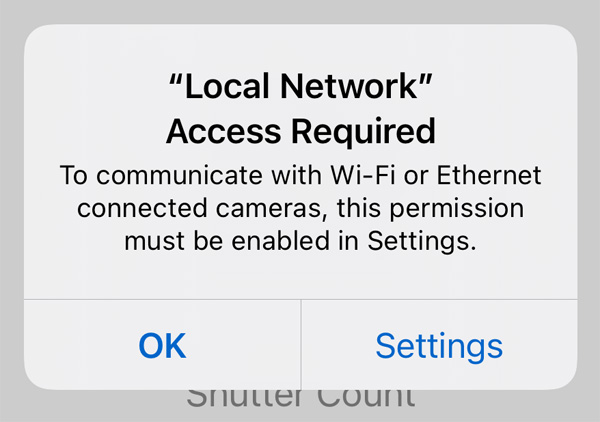
Plus the iPad version sports the missing “local network” permission handling message discussed in my former post.

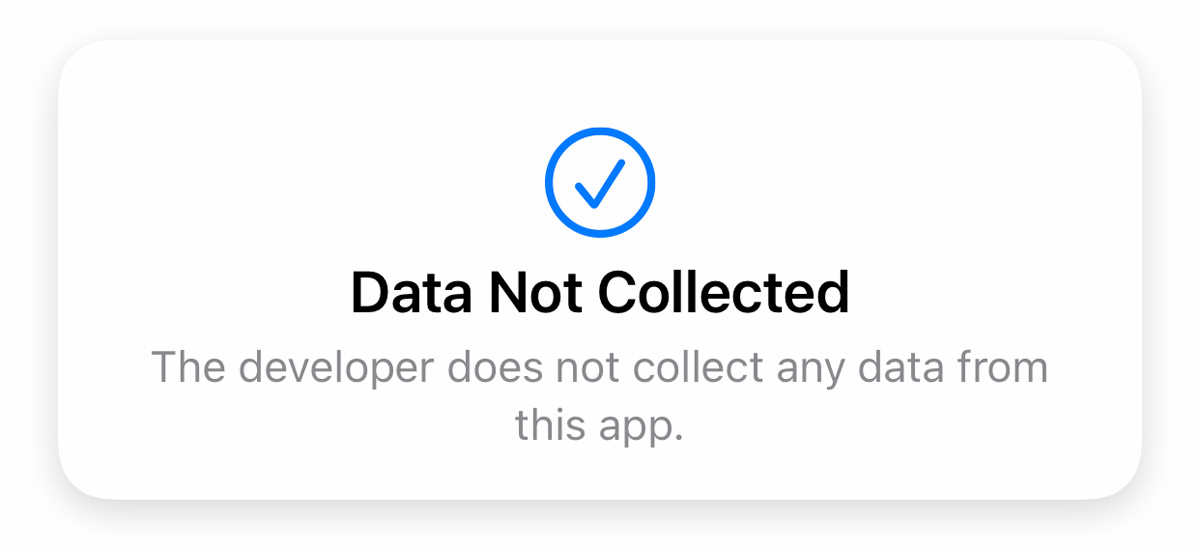
We have published “privacy nutrition labels” for the app. It’s rather simple: we do not collect data from Kuuvik Capture. We are in the business of making and selling software to you, and not selling your private life to some sneaky data brokers. This is one reason why the prices of our apps are what they are.

The update is free for existing Kuuvik Capture 5 users. We also offer an upgrade from 2.x-4.x to version 5.
ShutterCount 4.8 Released

The latest update to my ShutterCount app is now available on the App Store for Mac, iPhone and iPad. This update brings a few under-the-hood changes.

The computer technology world is loud with privacy-related issues these days, and we highly value Apple’s efforts at the conceptual level. Unfortunately, their implementation is a hot mess, being a constant source of headache for me in the last couple of years.

Case in point: iOS 14 requests the user’s permission to allow an app to access the local network, which for example ShutterCount requires for Wi-Fi and Ethernet camera pairing and connections. For several users, this is just one more annoying popup, and choose “Don’t Allow” just to be safe. And then they try to pair a network camera, which will fail. In better case they contact our support, but leaving a bad review tends to be the norm.

Wouldn’t it be nice to ask iOS about the state of this permission before pairing so that we can inform the user that he/she denied access? Absolutely, but iOS doesn’t provide that functionality for developers… Half-baked mess…

Fortunately we were able to develop a clever workaround and the app warns users about the missing permission right on the spot.
Well, people who ignore every and all error messages will still be a problem, but that’s a topic for another day.

The next change is that ShutterCount on iOS 14 no longer needs full Photos access to read a Nikon or Pentax shutter counter from a photo.

Just choose the image from your photo library, and that’s all. On the flip side, if that image happens to be in iCloud, we can’t show you a download progress indicator, because Apple forgot to provide download progress information. Half-baked mess again…

Now something we’re very proud of:

We are in the business of making and selling software to you, and not selling your private life to some sneaky data brokers. This is one reason why the prices of our apps are what they are.

Lastly, we’ve updated error messages on the Mac to cover the situation where the connection can’t be made because of a corrupted memory card.

The update is free for existing users. New users can download ShutterCount from the respective App Store.

A Long Time Infringing App Has Been Removed From the Mac App Store

In October, 2013 we released ShutterCount, the world’s first Canon EOS shutter count reader app for the Mac. Six months later another app appeared on the Mac App Store, whose appearance, messages and web site showed eerie resemblance to ours. While keeping an eye on EOS Inspector, we continued to innovate further, bringing exciting new features to our customers.

Stemming from two years of research, ShutterCount scored another first in June, 2017 with the ability to work with new Canon cameras having a radically new counter mechanism.

A year later we were shocked to find that version 2 of EOS Inspector (subsequently renamed to ShutterCheck), which Konstantin Pavlikhin began selling at the time, went far beyond visual similarity and was in fact – as it has been established by evidence-based independent copyright expert opinion – based on key intellectual property illegally obtained from our app.

We strongly believe in competition, but do not tolerate intellectual property theft. We are determined to pursue our rights even if legal processes take a long time – just like in this case.

On November 16, 2020 Apple received the evidence-based independent copyright expert opinion referred to above that states that the infringement indeed takes place:

“This conduct (of Mr. Pavlikhin) – with regard to the unlawful acts of use – infringes the legitimate interests of the Hungarian software’s author and does not meet the requirements of fair conduct.”

Since Mr. Pavlikhin demonstrated no interest in stopping this purposeful infringement, Apple pulled his app from the Mac App Store on December 9, 2020.

We applaud this decision, as it shows Apple’s respect for original innovations of hard-working creative people.

iPhone 12 Pro Max Support Added to Artist’s Viewfinder and Technical Camera

Updates to fully support iPhone 12 Pro Max cameras in Mark II Artist’s Viewfinder and Technical Camera are now available on the App Store. This includes both lab-measured angle of views as well as Wide Mode support for the ultra wide camera.

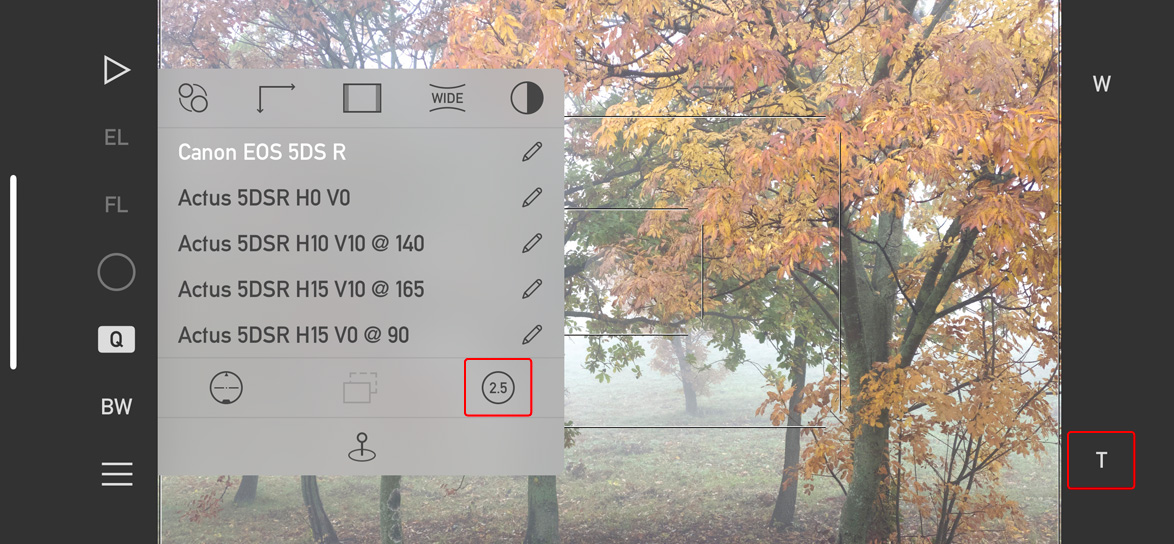
But since the telephoto camera is longer than all other iPhone telephoto cameras were (2.5x vs 2x), the user interface of both apps had to be adapted to the new situation.

Changes in Artist’s Viewfinder to accommodate the 2.5x camera of the 12 Pro Max

The changes are consistent across both apps. First, the 2x icon on the Quick Control Screen in Artists Viewfinder and on Camera Options in Technical Camera changes to 2.5 in case your device sports the longer telephoto camera.

Second, the Smart Function Key formerly known as Switch Wide/Tele Cameras is now named Toggle Telephoto Camera, and the associated key label has been changed from 2x to T to be angle of view neutral. Well, the name change was long overdue since the old one was rather ambiguous on triple camera devices…

The Viewfinder Handbook has also been updated to reflect these changes.

And that’s it for now. Mark II Artist’s Viewfinder 6.8 and Technical Camera 1.9 are free updates for existing users.

Kuuvik Capture 5.4 Released

The latest update to my Canon EOS tethering app, Kuuvik Capture, is now available for both Mac and iPad.

With this release, we’re starting to roll out a new focus bracketing engine. Building on new features of the DIGIC 8 and DIGIC X processors, Kuuvik Capture can now execute focus brackets with the mirror locked up during the entire bracket (on DSLR cameras), saving time and reducing mirror wear. The new engine is initially available for the EOS-1D X Mark III and 250D/Rebel SL3/Kiss X10/200D Mark II. Of course we’re planning to bring it to other cameras as well in the future.

The new engine also drives focus bracketing for the EOS R5, much faster than the old one did. Electronic shutter is supported for focus brackets with both the 1D X Mark III and the R5, resulting in minimal shutter and mirror wear, and rather quick operation.

Firmware for DIGIC X-based cameras unfortunately still full of bugs hindering proper tethering operation. A newly discovered one is that once depth of field preview is engaged, you won’t be able to move around the point of operation (that is, can’t move around in live view when zoomed in, or can’t jump to a marker). This is a rather serious oversight from Canon.

We’re mitigating this issue by automatically turning off DoF preview when it would break the operation you are going to perform. For example, one typically uses DoF preview with the jump to marker feature to be able to assess depth of field with the current focus placement. We faced a choice here, either a) jumping to a marker would silently fail when DoF preview is on; or b) turn off DoF preview and do what you asked for. B is a clearly better solution here, and we consistently do the same in case of all other operations where the bug would cause a problem.

On the 1D X III this bug also causes issues with multi-point live view, so we completely disable DoF preview during multi-point live view.

The update is free for existing Kuuvik Capture 5 users. We also offer an upgrade from 2.x-4.x to version 5.

Kuuvik Capture 5.3 : JPG Only Download Option

The latest update to my Kuuvik Capture tethering app is now available for both the Mac and iPad.

This is the first Canon remote control solution that offers native Apple Silicon support, and is also optimized for macOS Big Sur.

Regarding new functionality, we’ve added an option to allow downloading just the JPG from a RAW+JPG pair. This ensures a much faster image display in cases where the download is slow – for example when using the camera’s built-in Wi-Fi transmitter.

Download options when shooting RAW+JPG

Of course the camera will store both the RAW and the JPG to the memory card, so you can process RAW files later.

With the release of iPadOS 14.2, Apple fixed the USB tethering bug that rear up its ugly head with iPadOS 14.0. So this very convenient and fast connection option is back in business. But they also took care of another bug report of mine, which makes a pretty neat little feature possible.

iPadOS 13 immediately suspended all USB camera communication when you put the app into the background, for example to write a note, or check a message. With iPadOS 14.2 and Kuuvik Capture 5.3, the connection will stay alive for 30 seconds. Your sequence, or download will continue to run in the background. After 15 seconds you’ll get a notification, that the communication will be suspended soon, but you have plenty of time to return to the app – the easiest way being to tap the notification. This is the same behavior you get when using Wi-Fi/Ethernet connections.

The update is free for existing users. New users can buy the app in the respective App Store. Don’t forget that the Mac and iPad versions are sold together – buy any of them and you’ll get the other for free!

Enjoy!