Late Summer Rain at Lake Bled

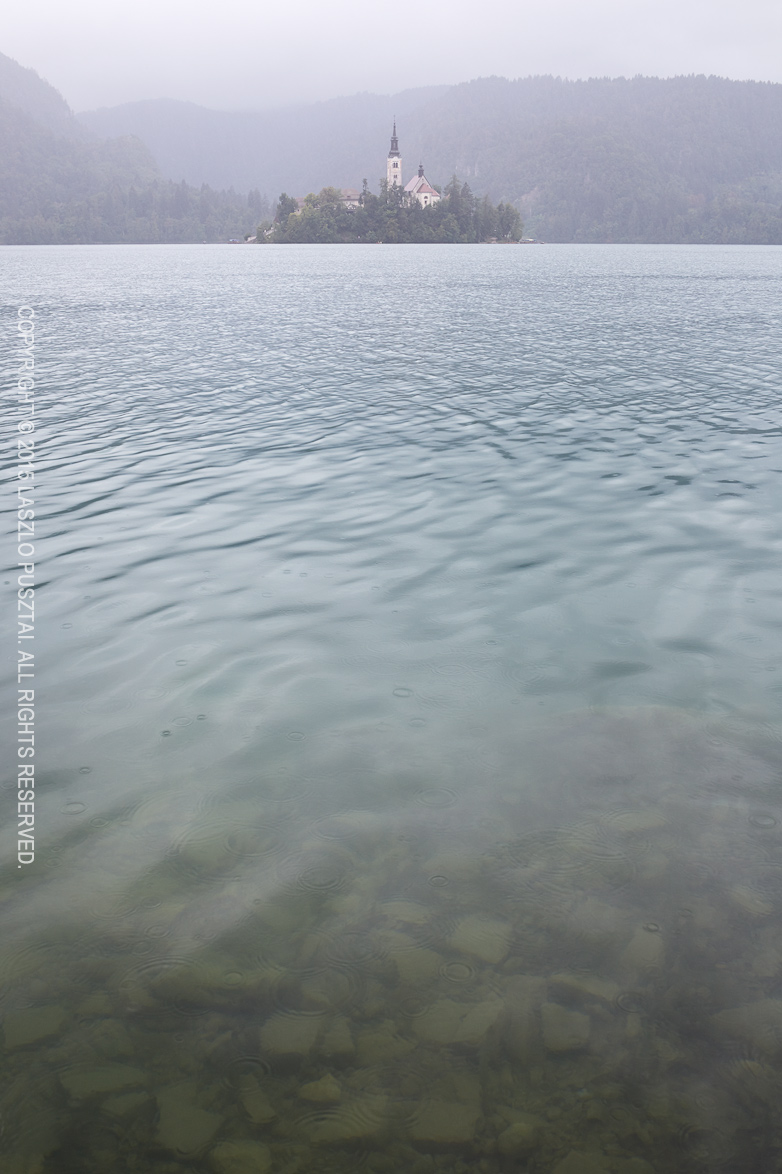
Even with the 5DS R at hand, I kept my good old Canon 5D Mark III – as a travel camera. I dislike all the current mirrorless offerings (handling, user interface and usability issues), so instead of buying into one of those overhyped systems, simply bought an EF 35mm f/2 IS USM lens to go with the 5D Mark III.
Late Summer Rain at Lake Bled

Late Summer Rain at Lake Bled

This combo is a deadly weapon – handholdable at ridiculous shutter speeds, produces first rate image quality, pretty lightweight (compared to what I’m usually lugging around), batteries just keep going, and handling of the 5D Mark III is a joy.

The above image was shot with the combo during a short visit to Bled this August.
Building an Astrophotography Rig

Building an astrophoto rig is like building a custom motorcycle: it’s expensive, time consuming and involves a lot of DIY. There are some outstanding parts available, but assembling them into a great tool isn’t trivial. You have to do lots of research. I decided to share my experiences along the way as I build my setup – and this is the first installment.

When I started this project, my goal was to be able to utilize the great primes in my existing lens collection and share the equipment to the greatest extent possible with my regular photography toolset. So there’s no telescope involved – I use my 500/4 instead for deep sky objects.

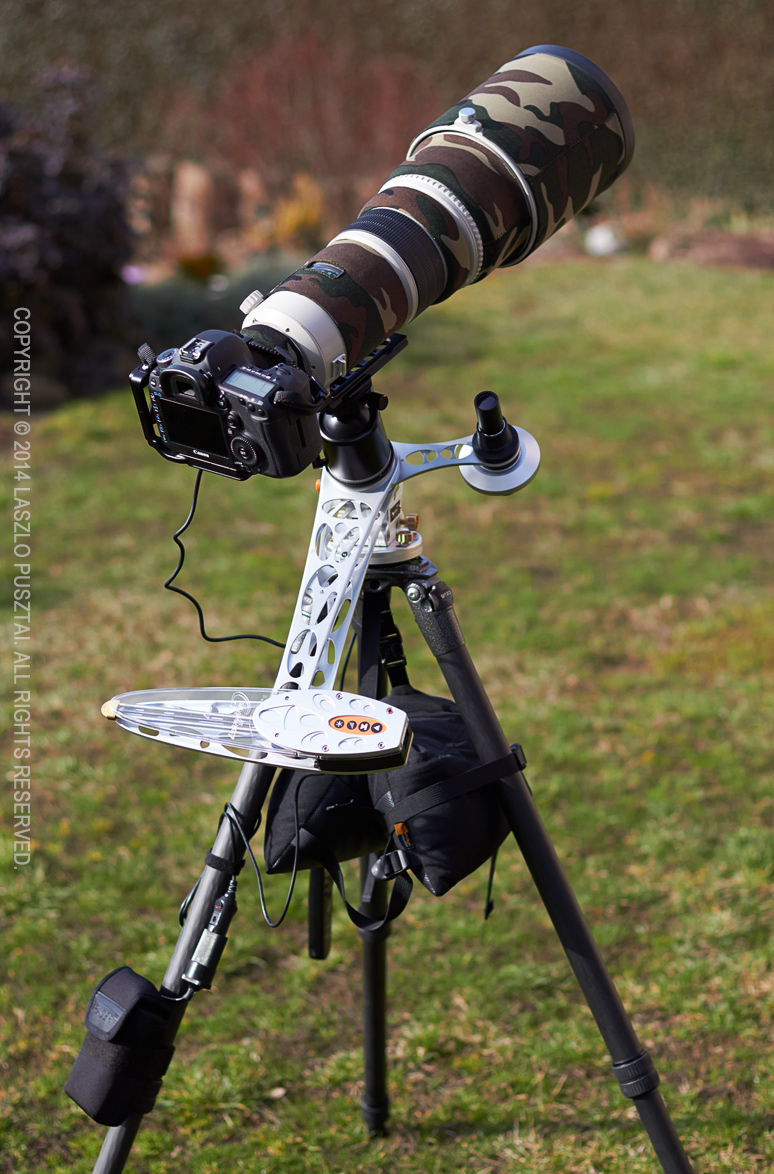
650D_1409_5103My current rig (with the 500 installed) is on the left. Let’s forget about the camera and lens for this post’s sake, and concentrate on what’s below them.

Basic Support

The central part of this setup is the tracking mount, which compensates for Earth’s rotation. This is a mandatory piece of equipment if you want to use anything other than wide angle lenses and short exposures.

I decided to go with the AstroTrac TT-320X-AG. This is a “barn door” type mount, where two arms open up like a scissors. This device is small and light, and provides the tracking accuracy of regular equatorial mounts weighing 20x as much or more.

Of course the AstroTrac is in equatorial arrangement: you have to align its rotation axis with Earth’s. To allow precise alignment you’ll need a geared head between the tripod and the tracker. A ball head won’t do it. AstroTrac also makes a head, called a wedge is astro parlance, the TW3100. This provides great controls for very precise adjustment and is lightweight.

A heavy-duty, stable tripod is essential. Fortunately it is not a new requirement for me – and I use a Gitzo 3532LS. This is a great tripod, and the ability to rotate the top plate is godsend for rough tracker alignment. To improve stability I extend only the upper (thicker) leg section and hang a beanbag on the top plate’s hook.

The top plate of the tracker is the home of my regular ball head, an Arca-Swiss Z1sp. With a breaking point somewhere around 50-60kg, this head can easily support even the 500mm lens. Just have to be careful with loosening the knob when the 500 is mounted.

Powering the AstroTrac

Well, this was the point where things started to look ugly. The AstroTrac mount needs 12V DC. They sell a very basic (read crap) AA battery holder, but using alkaline AAs is a no-go in my book. So I needed a rechargeable 12V power source. First though about using ten AA NiHM batteries (again, in a crappy holder), but charging lots of AAs is a pain in the butt. Another solution would be to use a 12V car battery. There are lots of car battery based astronomy targeted power sources around, but they weigh several kilograms – definitely not on the portable side.

Surfing the web for hours I ran into Tracer’s lithium polymer battery packs, and ordered the 4Ah model immediately. This is the block you see on the lower left corner of the above picture, Velcroed to the tripod. It sports a 12V cigar lighter plug, which connects with the AstroTrac’s fused cigar lighter cable.

This battery provides enough juice to run the tracker for up to 16 hours, and weighs just 330 grams. Problem solved.

Polar Alignment

To help in precise polar alignment, a polar scope is needed. And this is the weakest offering in AstroTrac’s product line. The tracker and the wedge are great, well built products, but their polar scope is a bad joke. It has an illuminated reticle on which you have to place three stars in marked positions. But this reticle is not collimated (centered) in the factory! To make things even worse, collimation can be done with three tiny grub screws – a totally unusable solution. Even after I replaced them with thumbscrews, I had to re-collimate it quite often. Another issue is that this scope is held in position with three tiny magnets. Just a small breeze, and the scope will fall. A small amount of pipe insulation around the scope solves this, but nevertheless this scope is sub-par. I had to look for a replacement.

650D_1409_5122And that was a competing tracker’s polar scope, from the Vixen Polarie.
Of course it won’t fit into the AstroTrac’s polar scope arm – the base of the Polarie scope is just 0.5mm wider that the hole on the polar scope arm.

My father machined a custom adapter that not only holds the scope in place, but I can screw it in securely.

Alignment with the Polarie scope is also easier. Much easier. Just set the current date, time and meridian offset on three dials, and place Polaris into the marked position on the reticle. Quick and easy.

The only downside is that the Vixen’s reticle is not illuminated, and you don’t see the markings by default. So I cannibalized the AstroTrac scope’s red LED illuminator, and shine on the front lens of the Vixen scope while doing the alignment. The background turns red, markings become visible, while I can still see Polaris well.

With the Polarie scope I can polar align the rig in just a few minutes – every time. It’s a difference like switching to a Mac from Windows.

Update 2/9/2015: now I’m using a much better solution with another Vixen polar scope.

Conclusion

I’m very happy with this rig. Polar alignment with the scope only is good enough for 2 minute exposures with the 500mm and the 5D Mark III – it might be good for even more, I just haven’t tried yet. For wide field work it’s more than enough. My only issue now is the number of clear, moonless nights…

  ☕ ☕ ☕

Did you enjoy this post? Consider buying me a coffee if so.

First Take on Orion Nebula

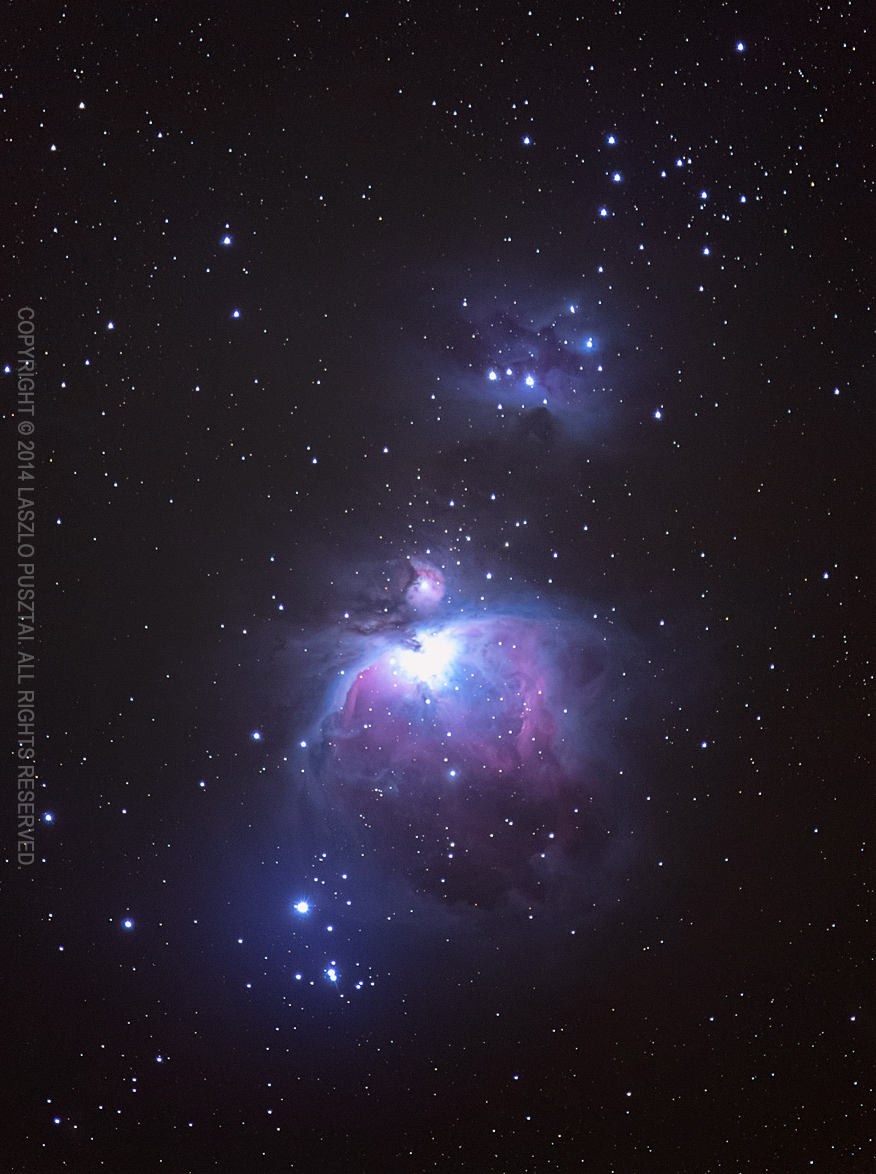
Last night the conditions were favorable to try my Canon 500mm f/4L IS lens for astrophotography. I was interested in the maximum exposure length with only a simple polar alignment (with no time-consuming drift alignment). Also wanted to check out any other issues that might arise from using such a heavy lens.

Well, it turned out that 2 minute exposures were good, so I made a series of 2 minute, 1 minute, 30 second and 15 second exposures. 35 in total – the shorter ones to be able tame the bright core of the nebula. When I loaded the images onto my computer half an hour ago, I realized that focus drifted horribly after the first three frames… I suspect the rapidly falling temperature being the cause. Temperature change induces a focus shift. That’s why you can focus lenses “beyond infinity” – to compensate for this shift.

So it turned out to be an exercise in recovering what’s possible in such a badly screwed up situation. Below is what I could recover from these three frames. I was surprised that the overall result is pretty good, just disappointed about the overly bright core.

OrionNebula-3frame

M42

Because refocusing between frames is not a viable option (think image position changes and lack of bright enough stars), I’ll look into telescope heaters… I’ll let you know when I will have a working solution.

Christmas Catch

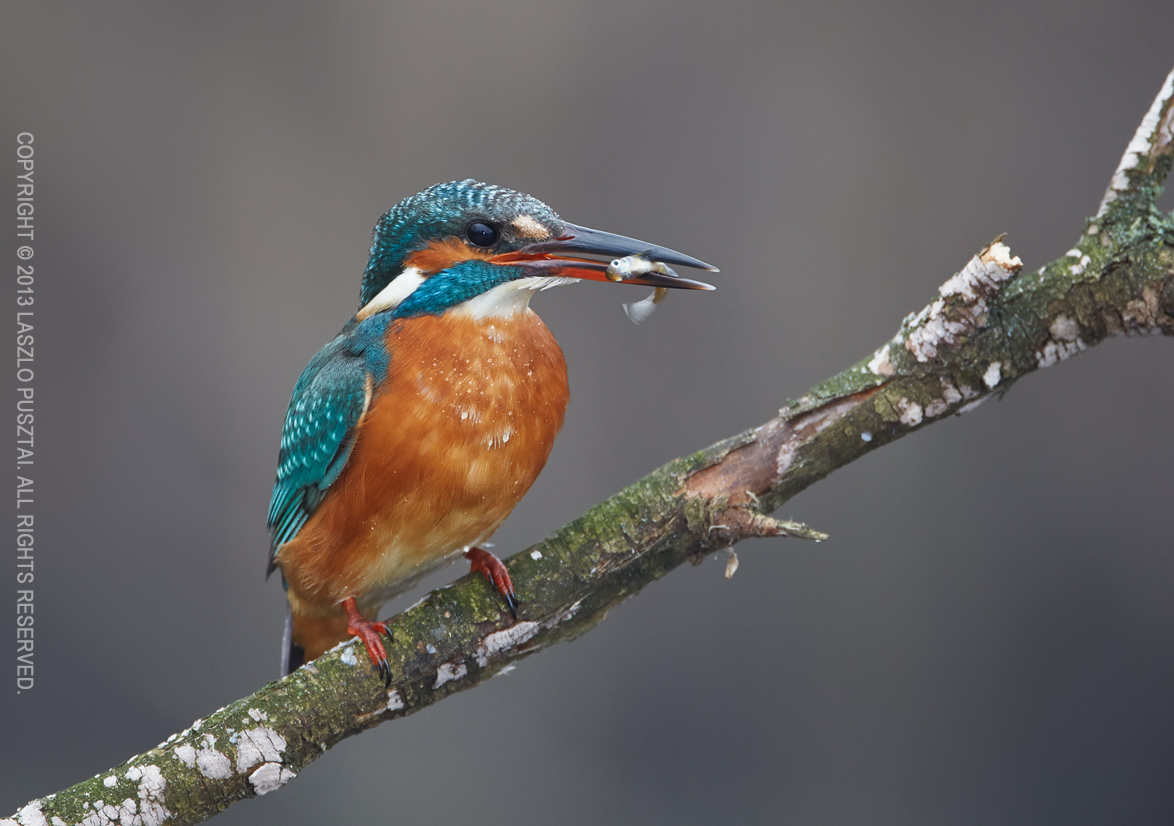
I photographed a kingfisher family just a few days before Christmas. Despite the bitter cold and the flat light, it was a great day, resulting in lots of images.

Christmas Catch

Christmas Catch

Happy holidays to you and your loved ones!

RAW File Bit Depth Changes with ISO

Let’s begin with the fact. The usable bit depth of your RAW file depends on the ISO used to shoot the image.

I discovered this while working on the RAW histogram feature in Kuuvik Capture. To make the RAW histogram usable, we have to scale the data coming from the RAW file. This scaling ensures that the left side of the histogram represents pure black and the right side represents pure white. Technically scaling is done by first subtracting the black level from each pixel, then mapping pixel data from the [0, white saturation] interval into the [0, 1] interval.

Black level is the value your sensor emits when no photons reach a given pixel. This is calculated utilizing a black masked area along the edges of the sensor (see my former post on this).

White saturation is the value from the given pixel when it’s completely full – that is more photons reaching the pixel will not generate a higher value. This depends on physical attributes of the sensor. We do a series of measurements for each sensor to determine its value. The higher the white saturation the more tones your RAW file contains.

What surprised me during the initial white saturation measurements is that with most of Canon’s cameras this value changed as I changed the ISO. Some cameras even present different white saturation in different exposure modes (Av and M for example).

The following graph shows the result from these measurements converted into usable bit depth for four cameras up to ISO 6400.

bit-depth-vs-iso-2For the mathematically inclined, usable bit depth is calculated with the formula:

\(\log_2 (w – b)\)

Where \(w\) is the white saturation and \(b\) is the black level.

The roughly 0.3 bit difference between the lowest and highest values doesn’t seem that large at first sight, but this means that you lose 15% of the tones at ISO 640 compared to ISO 800. To put it another way it’s a 1/3 stop difference.

Implications

Avoid non-full-stop ISOs.

The truth is that both ISO 500 and ISO 320 are exposed at ISO 400, putting a 1/3 stop “digital exposure compensation” value into the RAW file. For the ISO 320 setting this produces an overexposed image, which should be pulled down 1/3 stop. The downside is that you lose 1/3 stop of both tonal and dynamic range. The upside is that there will be less perceived noise, which can be helpful in some situations (and which is the basis of lots of false myths)

Avoid ISOs < 200 on crop-sensor Canons.

As you can see on the graph above, bit depth on these machines are less below ISO 200 than on or above it.

What about the 1D X?

Some of the 1-series bodies are not prone to the 1/3 stop bit depth loss. For example the 1D X starts to show this behavior at ISO 12800. The 1Ds Mark III produces the exact same bit depth at each ISO. And the 1D Mark IV works like the 5D Mark III.

So my practice is to use just full-stop ISOs and forget about ISO 100 on crop-sensor bodies.

Canon WFT-E7 First Impressions

There are situations when you need remote camera control. No, I’m not speaking about the “let’s control the camera from an iPad two meters away” kind of pointless exercises, I’m talking about real needs. Think about cameras mounted on the roof of the stadium, situations where you would scare wildlife away with your presence, or downright dangerous places where you don’t want to spend more time than absolutely necessary.

I bought Canon’s Wireless File Transmitter WFT-E7(B) to assist in implementing some of my photographic ideas, and also to develop network (both wired and wireless) tethering support for Kuuvik Capture. While it’s clear that Canon’s transmitters are not standing in the forefront of today’s technology, if you could live with their quirks and limitations, then they could do the job well.

The Pricing Issue

Well, I paid 520 EUR (roughly $675, excluding taxes) for the WFT. Although this is some $175 less than the list price, it is pretty expensive. The bill of materials for this device is hardly more than $50, so this asking price is a bit irritating. As a comparison: an Apple Airport Extreme base station that packs comparable amount of software costs $179. Considering the functionality of the WFT, my opinion is that Canon could sell huge amounts of these at $199 or even at $299. But the $849 list price is simply unrealistic.

The bad news is if you need full, 100% USB-equivalent remote control functionality, then you have to swallow the price, and buy the device. There are some products, such as Camranger, that offer partial solutions, but you need a WFT for the whole thing.

Integrated Wi-Fi (and WFT software) on the 6D certainly points to a good direction, and I hope more cameras with integrated WFTs will follow. This is how it should be done in 2013.

The Hardware

When the first wireless transmitters had appeared for Canons, they were ugly bricks that connected to the camera with a cable, but in exchange they supported multiple cameras. Then Canon made their mind, and started to sell dedicated transmitters for each camera model (think 5D2 and 7D). With the WFT-E7, the ugly brick returns. In theory it will support future cameras, but I found no sign on the Net whether it works with anything except the 5D3. I plan to investigate this in the near future.


Its exterior finish acts like a dust magnet, and also files off small skin particles of your hand, so it’s a challenge to keep it clean.

Mounting the WFT is another challenge. I’m using Arca-Swiss compatible tripod heads/plates, so screwing the WFT under my camera is not an option. As a short term solution I simply attached a keyring to the supplied neoprene case, and hung the device on my tripod hook. In the long term the keyring will be replaced with a carabiner that will attach to that hole on the tripod base. Canon packages two cables with the device: one is too short and the other one is too long for me. This is why I reel up and velcro the longer cable to the case.

The good news is that the WFT is powered by the same LP-E6 battery that powers the 5D3.

Operating Modes

You can choose from the following operating modes (which are mutually exclusive):

  • Remote camera control (EOS Utility).
  • WFT Server, which is a web-based remote control facility.
  • You can upload your shots to an FTP server.
  • Show your images on a DLNA compatible TV set.
  • Can sync time between cameras.

The only mode that gives you full remote control is the EOS Utility mode. This is what I’m using, so will skip the others.

Network Configuration

This is the first quirk. For some unknown reason, the device can’t operate as an access point. So you either connect it to an existing network; bring your own access point (another box, batteries, etc); or create and use an ad-hoc Wi-Fi network (which can work only in “g” speed, and its WEP encryption isn’t something considered secure). This is a major oversight on a $675 device.

I won’t talk about basic network configuration, because you can find pretty good and detailed guides at Canon’s Digital Learning Center. I will, however, talk about another quirk: pairing.

Pairing

To control a WFT-equipped camera, you have to pair it to the computer and application you plan to use it from (I’ll call this computer/application pair an endpoint).

You must configure your networks settings on the 5D3 using the Connection wizard. No matter how experienced you are in IP network configuration, this is the only way you can get your WFT to do the pairing at the end.

Below is a screenshot of the network camera manager in the private beta version of Kuuvik Capture 1.1 showing my paired (and connected) 5D Mark III.

Network camera manger in Kuuvik Capture 1.1 beta

Network camera manager in Kuuvik Capture 1.1 beta

Working with the WFT

This is the best part: once paired and connected, you can forget about the WFT. Everything looks and works as if your camera was connected via USB. Yes, Wi-Fi can be slow (especially ad-hoc “g” speed networks), so large RAW file downloads can take a while. But otherwise the functionality is completely identical.

You only have to pair your WFT to Kuuvik Capture once, but you must watch for the connection sequence later on. WFTs advertise themselves on the network using Bonjour. When you turn on a paired WFT, it will advertise itself for a minute. During this time Kuuvik Capture (or another software) must connect to it. If the camera does not receive a connection request within a minute, it will shut down the WFT! From this point on things become pretty stochastic. Sometimes after a while the camera turn the WFT on again, sometimes you have to disable and re-enable EOS Utility mode on the camera to retry the connection.

The recommended sequence is:

  • Start Kuuvik Capture.
  • Turn on the paired camera. It might need half a minute or so to start advertising itself. When it appears in Bonjour, Kuuvik Capture will automatically connect to it.

Conclusion

During the last few weeks of testing the WFT-E7 worked as expected – offering stable, completely USB-equivalent connection. I don’t have a reason no to be satisfied with it. I just try not to think about its price.

Oh, I’m sure 6D owners will break into a smile seeing the ugly brick hanging under my tripod…

  ☕ ☕ ☕

Did you enjoy this post? Consider buying me a coffee if so.



