Celebrating 140,000 Wonderful ShutterCount Customers

I’m proud to announce that ShutterCount just passed the 140,000 customer mark. People in more than 120 countries rely on this app to measure the number of shutter actuations on Canon, Nikon and Pentax cameras. Thank you for helping to make ShutterCount the gold standard!

Launched almost exactly six years ago in October 2013, ShutterCount was the first shutter count reader for Macs. It supported Canon cameras only at that time. But we didn’t sit on our laurels, and in April 2016 launched the first (and to my knowledge the still only) shutter count reader for iPhone and iPad: ShutterCount Mobile. Canon has changed the way its cameras work, and we were the first on the world to support this new way in ShutterCount 3, available since June 2017. This release also brought Nikon and Pentax support, and the ability – again as a first – to count and graphically display live view actuations separately. Mirrorless cameras from Canon introduced a new counting mechanism, and ShutterCount was the first app to include support in October 2018.

With an app having such a widespread user base, it is inevitable that some people will have problems. During the last six years we had helped several hundreds people. From pre-purchase questions to actual problem solving. They helped to shape the various resources we offer today to get the most out of the app: the Getting Started Guide, my step-by-step pairing guide, as well as a handful of instruction videos. Thank you!

Unfortunately there are a few people who doesn’t allow us to help: doesn’t read/watch the instructions, and doesn’t contact us for help. And usually end up leaving a bad review based on their beliefs how the app should work. It’s really hard to shepherd them back to the correct way, but we take it as a challenge and continuously improve both in app-messages and our guides.

Again, thank you all for this wonderful journey!
90D Support in ShutterCount and Kuuvik Capture

ShutterCount 4.2 and Kuuvik Capture 4.4 with Canon EOS 90D support are now available on the App Store.

ShutterCount also adds support for the Nikon Z50.

In these releases we had improved a few error messages. First and foremost, in case of any interference on a Mac, we remind you to quit Dropbox. Yes, they didn’t fix this bug despite we had reported it months ago, leaving no other choice for us but to explicitly point in their direction. Dropbox was the culprit in 100% of the connectivity-related support cases we resolved during the last 6 months or so.

We had also revised the Wi-Fi pairing instructions in ShutterCount’s Getting Started Guide, and updated the Wrong Connection Mode message’s description to mention the key points. I’m amazed that some people think this message is a joke and continue to bark up the wrong tree – in one occasion we had received a problem report showing that this message was displayed no less than 50 times. I can’t stress it enough: you must follow the instructions.

ShutterCount 4.1 Released

The last of today’s updates is for ShutterCount. Of course version 4.1 brings iOS 13 support, including a lovely dark interpretation to the app.

We like it so much that the Mac version was also updated with a variant of the iOS dark mode colors.

Current firmware version info in the Plus Pack was also updated to reflect the latest security patches from Canon. While I usually don’t mention it, this time it’s important to update your camera as soon as possible. Read Canon’s security advisory for more information.

Version 4.1 is a free update for both Mac and iOS users.

Kuuvik Capture and ShutterCount Updates

A minor update has been released to my Kuuvik Capture and ShutterCount apps. It fixes a camera detection bug that can surface with a specific Mac configuration (the iOS version of ShutterCount is not affected). The bug was originally discovered in Kuuvik Capture, but since these apps share the same tethering engine, it could also cause a problem for ShutterCount users.

The version numbers of the corrected apps are: 4.3.2 for Kuuvik Capture and 4.0.2 for ShutterCount and ShutterCount Pro. The updates are available through the Mac App Store.

This update also raises the minimum required macOS version to 10.10 for ShutterCount, so it is now the same as Kuuvik Capture’s requirement.

New ShutterCount Mobile Pairing Videos

We’ve just released two short videos showing the pairing process between a Canon EOS camera and ShutterCount Mobile (actually the Pro edition). I shot these back in last November for the then current version 3.5, but had no time to prepare them for publication until yesterday.

There are slight variations in the pairing depending on which camera model you use, and I have no time to make a video for each and every camera, but the current set covers the vast majority. And once you get the taste of the process, it’s easy to adapt to these differences.

The first video shows the pairing with an EOS M50. It also applies to most contemporary Canons. As you can see, the pairing takes just a minute (and I also do a Wi-Fi reset on the camera, which isn’t needed later on).

The second one not only walks you through pairing with the EOS 5DS R using the W-E1 card, but also touches other features of the app. This one covers the modus operandi of slightly older Canons.

Yet another variant is covered in an older video, showing the process with the WFT-E7 transmitter and a 7D Mark II.

There’s no sound, because I’m sure you’ll stop the videos a lot while following the process. And sound would just distract.

Hope these videos will make it easier to understand the pairing process. But I strongly recommend to read my former post about the details.

What’s New in ShutterCount 4.0

ShutterCount 4 for both Mac and iPhone/iPad is available now on the respective App Store. This major new release brings a host of under-the hood enhancements that will serve as a basis for exciting new features. But as always, new camera support (EOS RP and new DSLRs) is part of the package.

The first installment of these new feature (owner name editing, the copyright information template and IPTC export/import) is available for users who purchased the Plus Pack or have the Pro edition and is shared with Kuuvik Capture. Please read my former post on them before continuing.

There are a few differences from Kuuvik Capture on a Mac, though. While the copyright information template is available from the Preferences dialog for both apps, owner name editing and IPTC export / import is directly under the Camera menu for ShutterCount (that is, no sub-menu). You can also click the Owner Name title on the Camera Summary tab to edit the owner name.



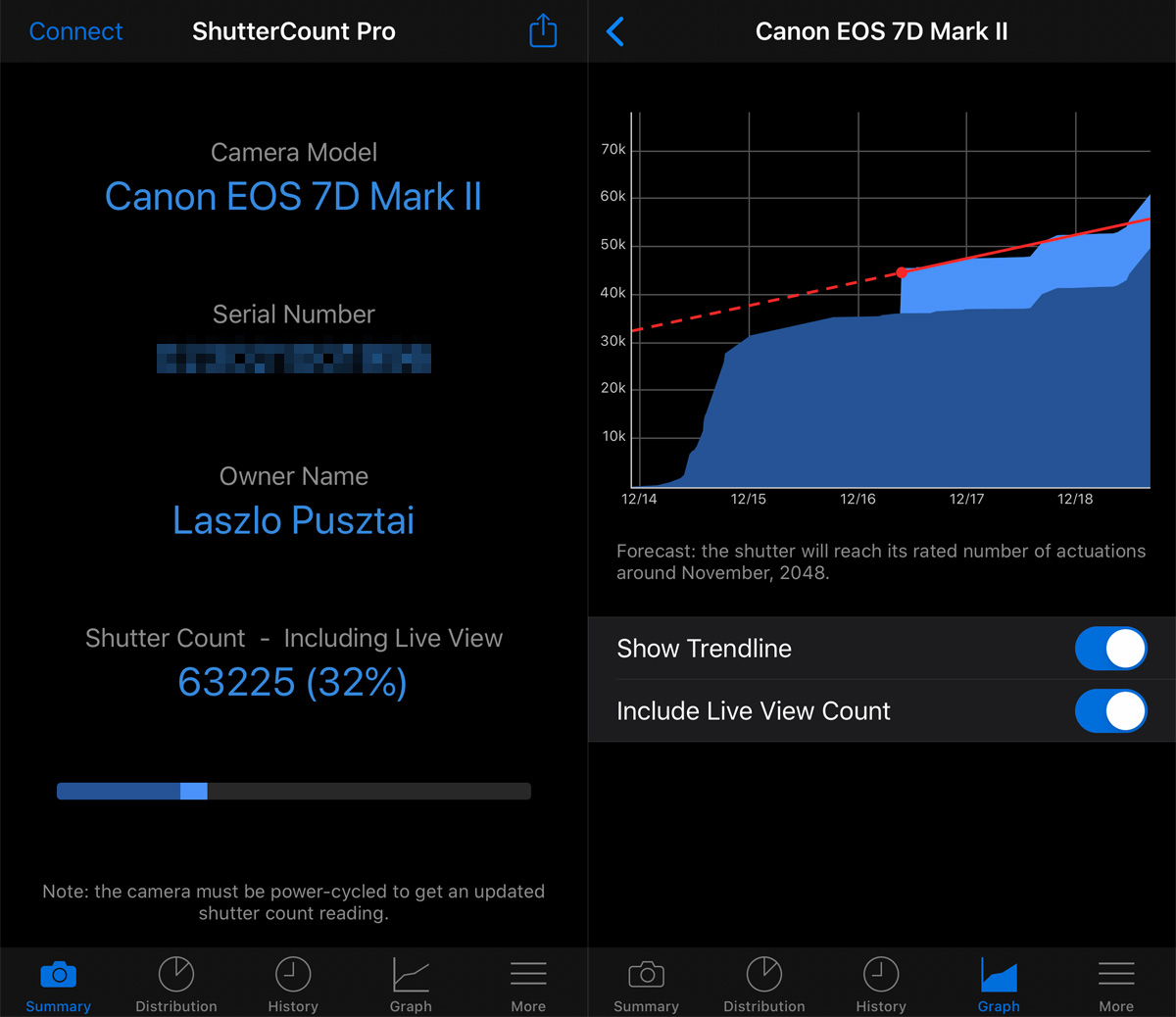
On iOS things are laid out a bit differently. Owner name editing and IPTC export / import can be found under Camera Settings on the More tab. And the copyright information template editor is also accessible from the More tab, via the Copyright Information item. You can also tap the Owner Name title on the Summary tab as a shortcut for editing the owner name.

As you can see on the screen shot, Prevent Auto Power Off makes an appearance in ShutterCount. Formerly camera connections were terminated when the camara powered itself off. But since you can now edit stuff, it wouldn’t be a great idea to let the camera go (in the worst imaginable moment, of course). So the default is to prevent auto power off. You can disable it if you want to, but we don’t recommend doing so.

Auto power off prevention is available in all editions.

Interference Detection

Canon cameras do not tolerate when multiple apps connect to them, despite the PTP standard would allow it. And instead of a clear error message, they just start to behave erratically. So apps, whose developers believe that every camera manufacturer respects the standard, could inadvertently kick Canon-specific apps in the stomach.

To avoid this, we had a technology to detect interference (that is, when some other app is already connected to and using a camera) since the early days of ShutterCount. Unfortunately Apple decided to kill this technology with the release of macOS 10.12 (and to add insult to injury, introduced a nasty bug in 10.12 that may ruin 5D Mark IV connections – see the end of Q5 in our FAQ).

So we ended up in a situation that’s a nightmare from product support standpoint. This was a high priority issue to solve.

I’m proud to announce that version 4.0 brings back the interference detection on macOS 10.12 and later (ShutterCount on iOS is not affected)! The only difference from the former implementation is that we are no longer able to pinpoint the impostor (the app already using the camera), but can detect the fact that there’s such an app. At the end of the day this is a much better situation, because we at least know for sure that this is the cause of the communication problem and could effectively help people in finding the culprit.

Speaking of these impostors, Photos is number one by far. We already knew it is, and since it pops up a window, it’s something easy to identify. But just hours after the release of 4.0, we got a few support requests complaining about the Another app is also using the camera error message, while there were seemingly no such app running.

Seemingly. You probably don’t know that not all such apps have a visible window. The investigation we carried out after these support requests discovered that the cause is… Dropbox.

Dropbox have a feature that allows you to upload every image when a camera connects. But it locks to all connected cameras regardless if you turn this feature off. This is a major oversight from Dropbox, and we already filed a bug report with them. I’ll let you know how it proceeds. But until they fix it, you should quit Dropbox when you want to use ShutterCount (and the same applies to Kuuvik Capture as well as other camera control apps).

Availability

Version 4 is a free update for existing users on both operating systems. New users can purchase the app in the respective App Store by following links on ShutterCount’s homepage.


