Kuuvik Capture 2.5 with 5D IV Support Available

The latest update to Kuuvik Capture is now available on the Mac App Store. It brings complete Canon EOS 5D Mark IV support, including the ability to shoot and display Dual Pixel RAW files. I’d recommend to check out my former notes on 5D Mark IV RAW files.

This release also boosts RAW decoding and camera communication performance – you can find more details on these improvements in my previous post.

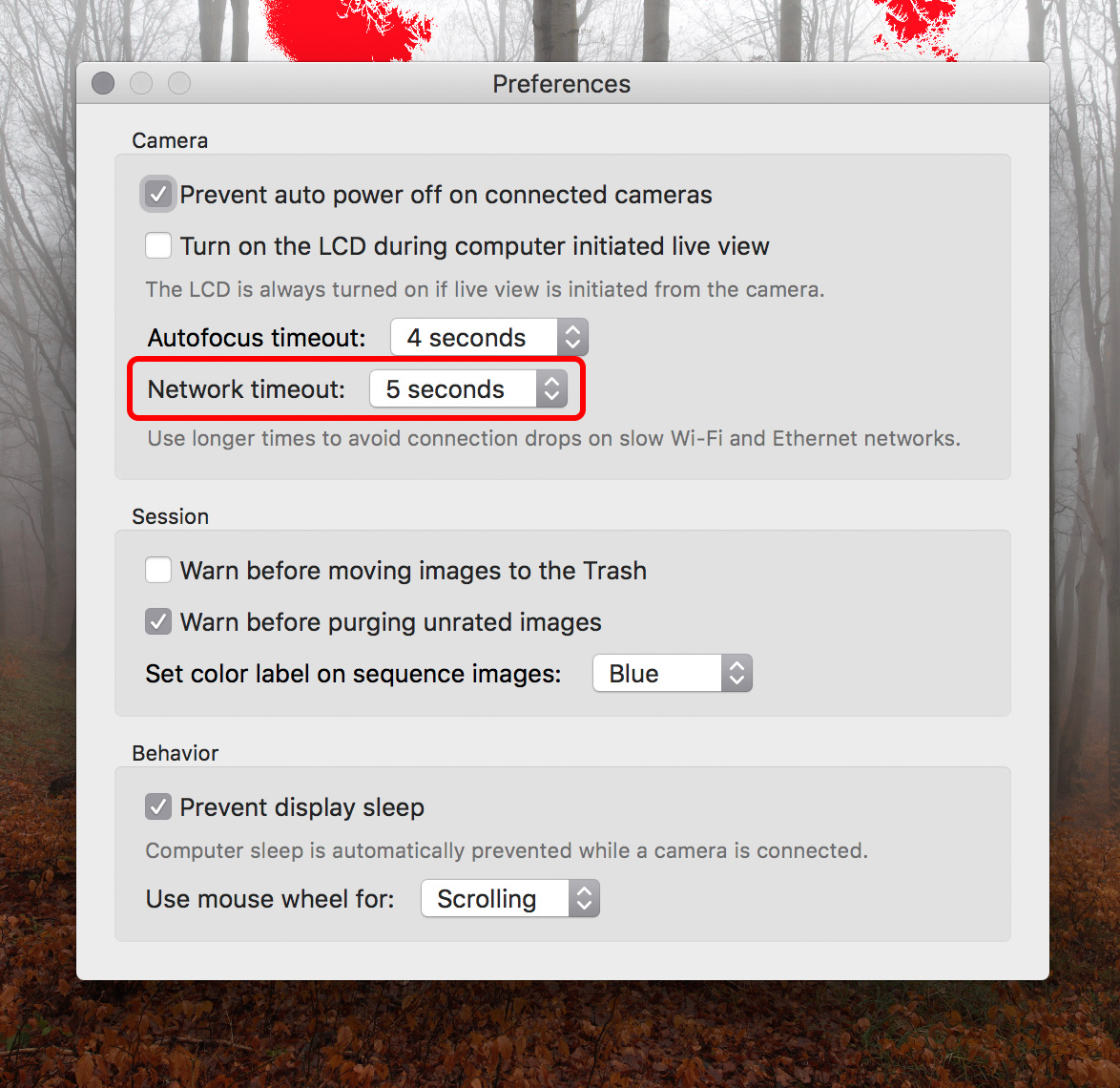
A new preference

As a first step toward JPG support, you can now shoot RAW+JPG (Large/Fine) in the camera. Since Kuuvik Capture works from the RAW file only to display the histogram and highlight/shadow warnings, just the RAW files are downloaded even if you shoot RAW+JPG. JPG files are saved to the memory card.

The new "Image quality" preference

The new “Image quality” preference

You can switch between RAW (the default) and RAW+JPG Large/Fine in Preferences.

Notes on macOS 10.12 Sierra

Usually I’m not doing this, but this time I highly recommend NOT to upgrade to macOS 10.12. At the time of writing the new OS has way too many bugs, two of which affecting Kuuvik Capture users specifically.

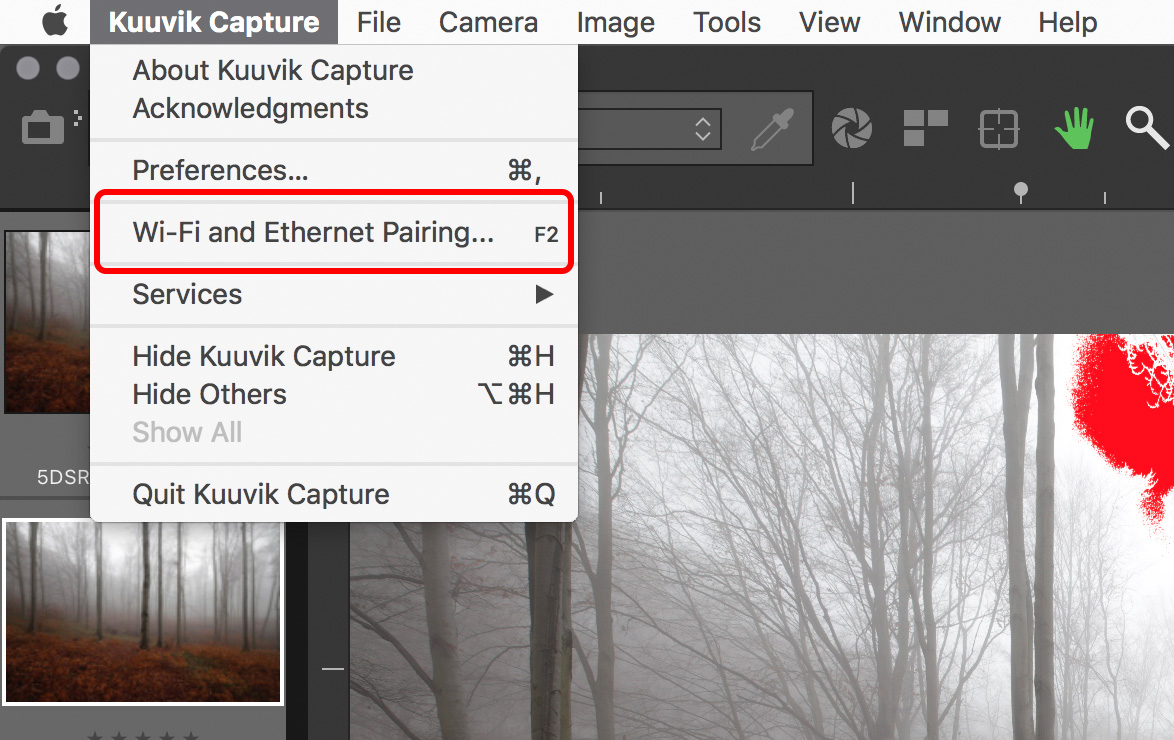
1) Connecting the 5D Mark IV via USB to an app, and then quitting the app will leave the camera in an inconsistent state, and no app will be able to connect to the camera until the USB cable is disconnected and plugged in, or the camera is turned off and back on, or the memory card door opened and closed.

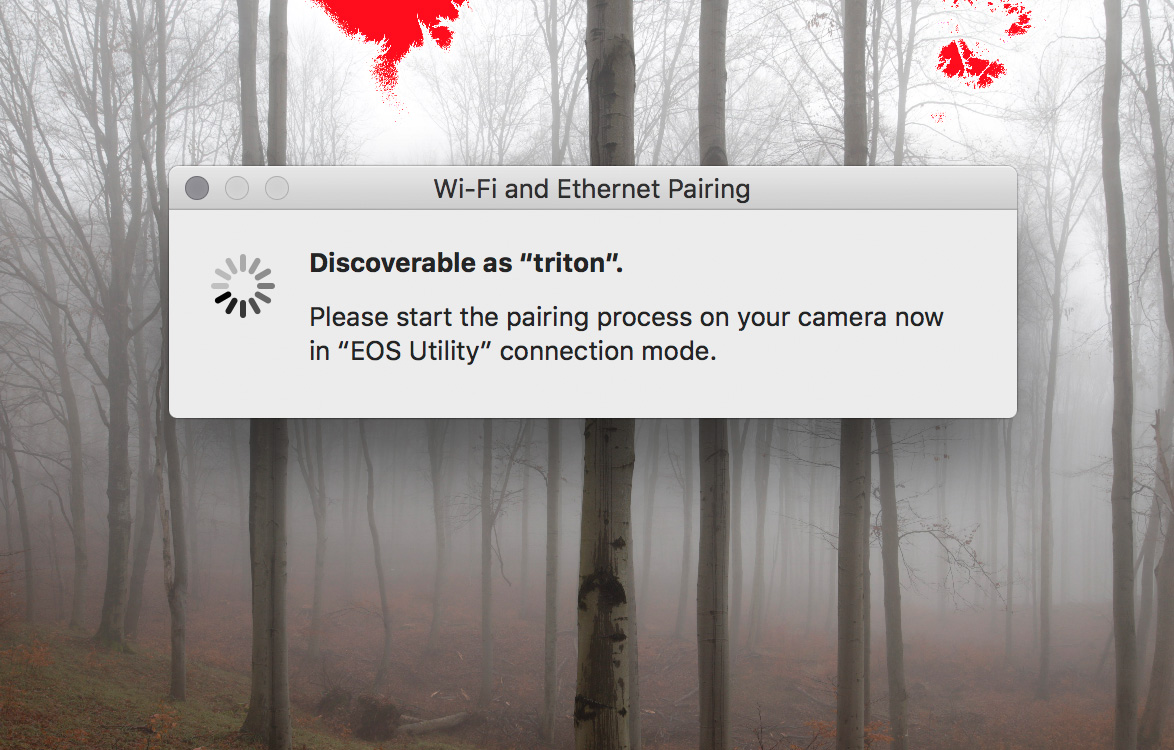
This only happens with the 5D Mark IV and on macOS 10.12 with the USB connection. The same camera on 10.11 works fine, all other cameras we’ve tried on 10.12 work fine. Even the Wi-Fi connection works fine – well, it’s not a surprise since it doesn’t use the flaky macOS PTP/IP stack.

It seems that macOS forgets to close the session with the camera. There is no workaround to the issue, other than the things mentioned above that actually break the session on the camera side.

2) On some computers (MacBook Pro 15″ Retina Mid-2012 for example) 5DS/R files are not displayed at all.

Update 10/30/2017: The new display engine in Kuuvik Capture 3.3 is immune to this issue.

Availablity

The update is free for existing Kuuvik Capture 2 customers. New users can download Kuuvik Capture 2 from the Mac App Store.

For more information about the app, please visit it’s microsite, or check out my posts.

Dual Pixel RAW and Kuuvik Capture

Dual Pixel RAW is Canon’s new invention that will see its first release with the EOS 5D Mark IV. There’s some vague marketing info floating around, but haven’t seen a concise description of these files yet. So while updating Kuuvik Capture’s (websitemy posts) RAW decoder to support the 5D Mark IV, I had a chance to dig deeper into Dual Pixel RAWs.

To understand the following discussion, you need to know how Canon’s Dual Pixel AF works, especially how these Dual Pixels are divided into two separate photodiodes. This article by Dave Etchells gives you a thorough explanation.

What is a Dual Pixel RAW file?

Normal CR2 files contain the following sections:

  • Metadata
  • Previews
  • RAW data

The DPRAW file is a CR2 file that contains one more additional section:

  • Metadata
  • Previews
  • RAW data
  • DPRAW data

This organization have a very important implication. Any RAW processing software that does support the normal 5D Mark IV files will be able to open DPRAWs. If the app is unable to interpret the DPRAW data part, it will simply ignore it and will work with the file as a normal RAW. There’s no risk or penalty in taking DPRAWs (besides the huge buffer drop from 21 to 7 frames).

The DPRAW file contains the normal RAW data section to make this compatibility possible, plus one side of each pixel in the DPRAW data section.

The RAW data section contains pixel values with the sum left and right sides of the photodiode, while the DPRAW section contains pixel values from just one side of each photodiode.

The RAW data section contains pixel values with the sum of left and right side photodiodes, while the DPRAW section contains pixel values from just one photodiode of the two.

But how do we get the other side of each pixel to let Dual Pixel aware processing apps do their tricks? It’s easy: since the RAW pixel value is the sum of left and right pixel sides, just subtract the DPRAW pixel value from the RAW pixel value.

This is an unusually clever implementation from Canon, where I’m used to see all kinds of inflexible hacks that look like as if they were designed in the 1980s.

Size-wise, DPRAW files are slightly less than double the size of normal RAWs (since metadata and preview images are stored only once).

How will Kuuvik Capture 2.5 handle DPRAWs?

Not being a RAW converter, Kuuvik Capture needs the RAW data for two purposes: the RAW histogram as well as shadow/highlight warnings (the image displayed on the screen comes from the preview embedded in each CR2 file). For these the RAW data section is totally sufficient, and the app will ignore the DPRAW data section if present in a CR2 file.

The app will display normal RAW and DPRAW files equally fast, but downloading DPRAW files from the camera will take almost twice as much time as normal RAW (because of their larger size).

I assume that there will be a possibility to switch the camera into DPRAW mode remotely (I can’t be sure until my rental unit arrives). If that is the case, then a new preference will let you specify whether you’d like to shoot RAWs or DPRAWs.

5D Mark IV File Support Added to Kuuvik Capture

5d4rawisobugThis morning I had finished adding EOS 5D Mark IV file support to Kuuvik Capture (websitemy posts), and would like to share a few observations with you.

In short, all bugs introduced with the latest Canon camera releases are present in the RAW files.

First, just like the 1D X Mark II, ISOs above 51200 recorded in the EXIF incorrectly as 65535 by the camera. The screen shot on the left shows an ISO 102400 file from the 5D Mark IV. This is something that affects users and can’t be corrected in Kuuvik Capture. So if you are running into this: it’s a problem with the camera firmware, not with the app. Update: Version 3.2 fixes this, as we now can decode private Canon metadata from the files.

Second, internal lossless jpeg headers are corrupt exactly the same way the 5DS/R screws these up. Kuuvik Capture works around this bug, so it’s not something you’ll notice, just annoying to witness.

Third, the whole question of ISO 32000. Since 1/3 stop ISO values are digital trickery, the camera’s top ISO is still 25600. But it seems that marketing folks were not satisfied with that. So the fake top ISO was born. I saw this in the 7D Mark II for the first time (ISO 16000), and it seems that they are so fond of this that the 5D Mark IV also got it. The app handles it correctly, it’s just something you need to be aware of as an informed user.

Of course the upcoming version 2.5 will have full 5D Mark IV support, just wanted to share the progress with you. We plan to release version 2.5 later this fall. It will be a free update for all Kuuvik Capture 2 users.

Performance is a Key Kuuvik Capture Feature

Since I took over Kuuvik Capture last year, one of my top priorities is to provide the fastest, highest performance tool possible. While the original company arrangement did not allow for costly, time consuming optimizations required to reach the speed I wanted, now I can spend all my spare time on it. And the results are stunning. Just think the brutal improvements version 2 brought to the table…

These days I’m doing some groundwork that will make exciting new features possible in Kuuvik Capture (and also serve as a base for upcoming products). And improving performance along the way.

Kuuvik Capture 2.5 Beta

Kuuvik Capture 2.5 Beta

No more Windows leftover

Originally Kuuvik Capture was designed to be able to run on both OS X and Windows, and we used a bunch of readily available software components (Canon’s own SDK and libraw for example), which turned out to be a bag of ugly worms. I had spent several long days on wrapping those components to make them usable and reliable.

This “wrapper” was able to run on both operating systems. On top of this, the operating system specific “engine” connected the “wrapper” to the user interface and provided services to the “wrapper” (such as proper asynchronous camera communication – something that Windows completely lacks).

With version 2 I had already replaced these problematic components with my own code, but parts of the “wrapper” and the “engine” were still present. Since we decided to drop any and all Windows plans, there was no need for them – my Digital Camera Library and the user interface could talk directly. So I started to gradually remove them, which task is finished by now.

During the removal I had not just eliminated several thousand lines of code, but since there’s less machinery involved, camera communication became faster and consumes less battery. Image download from the 5DS R is 1% faster compared to version 2.4, and overall communication is up to 5% faster compared to 2.0 (measured on my mid-2012 15″ Retina MacBook Pro). This seems a small number, but think about it this way: you can take 1-5% more shots on a charge.

Even faster RAW decoding

I’m using a lossless jpeg decoder based on dcraw‘s routines to open the RAW files. This had one drawback: dcraw was not designed to be able to work on multiple images simultaneously – something I need for my future plans. Not to mention that I also had to work around this limitation in Kuuvik Capture.

Fortunately I found and fixed the issue, and my decoder not just works parallel on multiple processor cores, but also crunching numbers faster. I measured 5-6% faster file opens (with 50 megapixel files on my MacBook Pro).

When?

These improvements will be available in Kuuvik Capture 2.5 later this fall.

Kuuvik Capture 2.4 Released

The latest update to Kuuvik Capture is now available on the Mac App Store. First and foremost, we’ve added support for the brand new Canon EOS-1D X Mark II. This seems to be a great camera with a few quirks – more on the camera itself in a later post. You can connect it to Kuuvik Capture with USB, using the built-in Ethernet connection or via the WFT-E6 or WFT-E8 Wi-Fi transmitters.

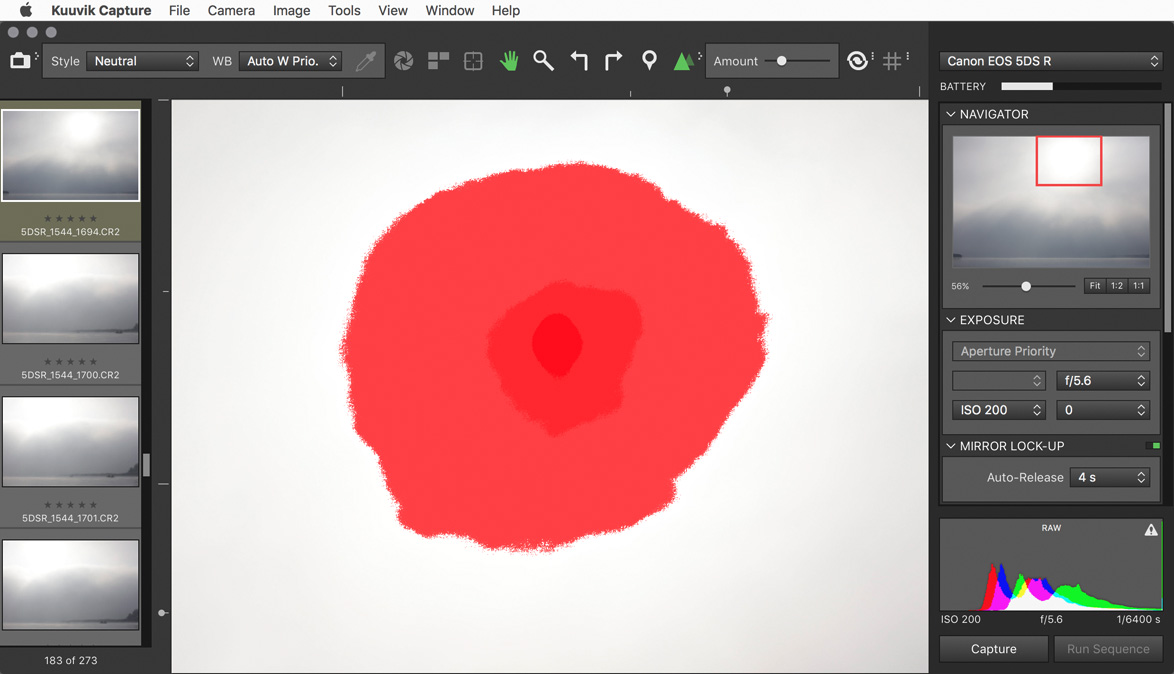
We also changed the way shadow and highlight clipping warnings look. In the past we had a hatched pattern that become denser as more channels got outside the exposure range of the camera. The problem was severe moiré and aliasing when you zoomed in and out. Beginning this version the exposure warnings are solid colored, getting more opaque as more channels are affected.

Multi-channel highlight clipping warning

This is an image from last fall, and shows how channels get clipped towards the sun in the frame. First green (the largest patch), then blue and finally red. The more channels are overexposed the less chance to do effective highlight recovery.

Last but not least, I’ve continued the multi-platform code removal process (mentioned in my former post), which brings performance improvements (and battery usage improvements) here and there. For example loading 20 megapixel images from the 7D Mark II got up to 0.1 seconds faster on a 11″ MacBook Air. And overall camera communication is a bit faster and smoother.

The update is free for existing Kuuvik Capture 2 customers. New users can download Kuuvik Capture 2 from the Mac App Store.

For more information about the app, please visit it’s microsite, or check out my posts.

Kuuvik Capture 2.3 Released

kc2icon@2xVersion 2.3, bringing Canon EOS 80D support to Kuuvik Capture 2 is now available on the Mac App Store.
Since Canon introduced quite a few changes with this body, I had to update both the camera control and the RAW decoder in my Digital Camera Library.

And at this point let me add a few personal comments on the 80D.

While the improved low ISO dynamic range is a welcome addition, this camera is a step back in a few regards. First, it’s not fast enough to support multi-point live view (formerly known as split view). It’s an unfortunate trend with Canon’s newest mid-range cameras: both the 70D and 700D were multi-point live view capable, and none of their replacements/successors are.

Second, the removal of the shutter count feature (it does not affect Kuuvik Capture per se, but indeed affects my ShutterCount app).

Third, Wi-Fi is still on the verge of being unusable. I’ve already mentioned sub-par 70D/6D Wi-Fi transfer speeds in the version 2.2 release announcement post. With the 80D, I was enthusiastic about the Easy Connection option, that is designed to create the camera’s own access point, and to allow using EOS Utility mode with no existing network needed. The idea is something you would expect in 2016, but the implementation is crap. And I’m not talking about the inability to specify a password for this network, but the extremely slow transfer speed. I measured speeds south of 30mps – which is half of the already slow speeds of the mid-range bodies.

Thus, I recommend to stick with using an existing Wi-Fi network and to avoid the Easy Connection option completely. Fortunately using an existing network is not slower than the 70D was (but it’s not faster either).

I took over Kuuvik Capture last year, and decided that I will not release a Windows version. This allowed me to remove former platform independent code and to do Apple-specific optimizations and speed up the app considerably. The code base is large, so this optimization process is still in progress – and this release also includes a few. They are not user visible, but you might notice them here and there. (For the technically inclined – I had eliminated a bunch of memory copy operations between the Digital Camera Library and the user interface.)

On the user-visible changes front, Split View had been renamed to Multi-Point Live View. I think it’s more clear what the feature does this way, plus Apple introduced a completely different Split View into OS X – and wanted to avoid any confusion.

The update is free for existing Kuuvik Capture 2 customers. New users can download Kuuvik Capture 2 from the Mac App Store.

For more information about the app, please visit it’s microsite, or check out my posts.