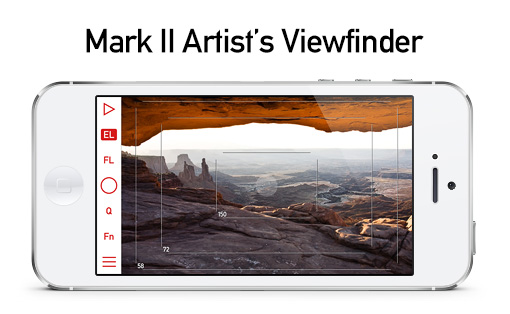
Mark II Artist’s Viewfinder Released

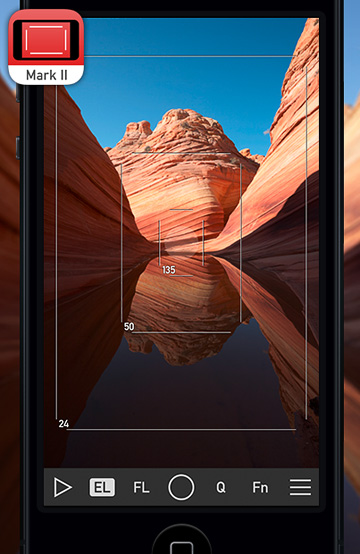
avf2iconI have been silent for the last weeks for a reason: we were working hard to bring the Mark II Artist’s Viewfinder out.

And now I can proudly announce that a few minutes ago it went online on the App Store, so you can go and grab it. :)

The usual announcement stuff will come next week, but you can find most of the info on the app’s microsite right now.

One more thing…

Courtesy of ALPA of Switzerland, the eFinder Tools are now part of the Mark II – no additional in-app purchase necessary. Although the parallax/shift tool is still supports ALPA cameras only, you can freely use the super precise (1/10 of a degree) 3D level with any camera. I might be biased, but for me it leaves the 5D Mark III’s two-axis level in the dust.
Wide Converters in Mark II Artist’s Viewfinder

Today we announced the beta of Mark II Artist’s Viewfinder. With the Mark II we took a new direction on how we handle wide converter lenses. In the past we just multiplied frame line positions with the wide conversion factor, not doing anything about the optical aberrations of the converter lenses. And believe me, they have many. Distortion, chromatic aberration, centering errors, you name it, the converter has it.

Most of these aberrations can be safely ignored as nobody takes real images with a viewfinder. One of them however, distortion to be exact, is a huge problem. It enlarges the center portion of the image and compresses the edges, making the effort of precise frame line positioning futile.

Given the immense power of today’s iPhone GPUs, we set out to get rid of wide converter distortion forever. And I’m pleased to tell you that we succeeded: the Mark II sports real-time distortion correction! Following is an example of its power.

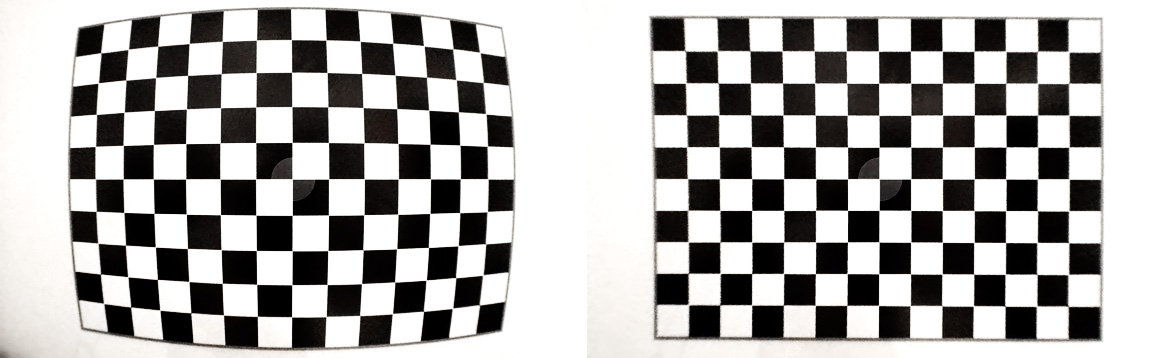
Before and after distortion correction

Before and after distortion correction

ALPA’s ACAM Super Wide Converter exhibits about 11% barrel distortion (on the left). Which is completely eliminated in the Mark II (on the right). Yes, resolution suffers, but it is pretty much enough for viewfinder use. There’s also some darkening on the lower left corner (the converter vignettes heavily and asymmetrically on the iPhone 5s – which isn’t a big issue after the correction).

With the corrected view we can simulate super-wide lenses, which is a blessing for landscape and architecture photography. But I also regularly use the ALPA’s iPhone Holder together with the ACAM SWC as a viewfinder for my Canon TS-E 24 pano stitches. Here’s a screenshot I took on my old iPhone 4 while composing The Circle.

IMG_1631

Composing a stitched pano

Note that the iPhone 4 isn’t fast enough to do the correction at full Retina resolution – all other supported iPhones (4S/5/5S) are.

At launch we’ll support ALPA’s ACAM SWC, but the lab and the measurement technology is ready, and we’ll add adapter/device combinations as we measure them. On the device front, iPhone 4/4S/5/5S are supported.

So if you regularly shoot wide, or want to get a tool that allows you to visualize tilt/shift stitches, then head to the Mark II’s site and sign up for a beta. Seating is limited, so hurry! Then it’s time to order an ACAM SWC from ALPA.

ShutterCount 1.1 with New Camera Support

ShutterCountIcon2xShutterCount 1.1 is now available on the Mac App Store.

In this release we have added support for Canon EOS-1D Mark IV, EOS 50D and EOS 550D / Rebel T2i / Kiss X4 cameras.

The complete list of supported cameras is available on the product page.

Also new is a FAQ page, which is available from the app’s help menu, or directly by clicking here.

The Circle

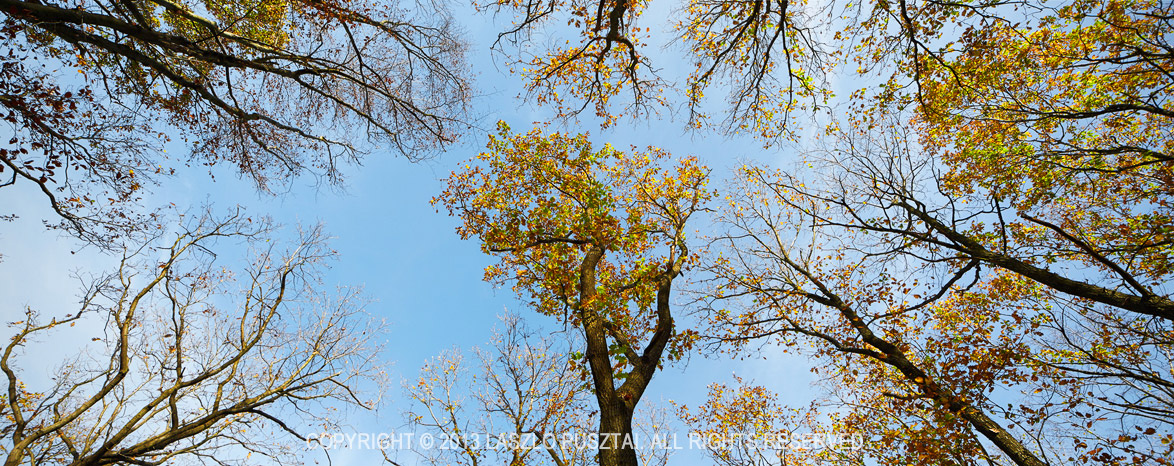
I love the 5:2 aspect ratio. And I dislike the majority of the “trees from below” kind of images. But this afternoon I was unable to resist the temptation to turn my pano shooting rig upwards – the scene was simply too graphic to ignore.

The Circle

The Circle

And like all of my 5:2 images, this one really shines on a 40 cm x 1m print.

ShutterCount for the Mac Released

My newest Mac app, ShutterCount displays the number of shutter actuations (the shutter count) of your Canon EOS digital camera. The shutter count is read directly from a USB-connected camera, and thus provides accurate numbers that are not attainable with simple EXIF-based methods.

ShutterCount

Simple is that. You can skip the trip to Canon for a reading, and you don’t have to pay every single time you want to check the count. Note however, that video clips recorded are not included in the number. For a separate mirror movement reading (that includes videos) you should still have to visit a Canon service center.

Speaking of money, you can grab the app at a special introductory price from the Mac App Store. This promotion runs until the end of October.

Supported cameras are the following:

  • Canon EOS-1D X
  • Canon EOS 5D Mark II
  • Canon EOS 5D Mark III
  • Canon EOS 6D
  • Canon EOS 7D
  • Canon EOS 60D
  • Canon EOS 70D
  • Canon EOS 100D / Rebel SL1 / Kiss X7
  • Canon EOS 600D / Rebel T3i / Kiss X5
  • Canon EOS 650D / Rebel T4i / Kiss X6i
  • Canon EOS 700D / Rebel T5i / Kiss X7i
  • Canon EOS 1100D / Rebel T3 / Kiss X50

Composing Stitched Images Made Easy

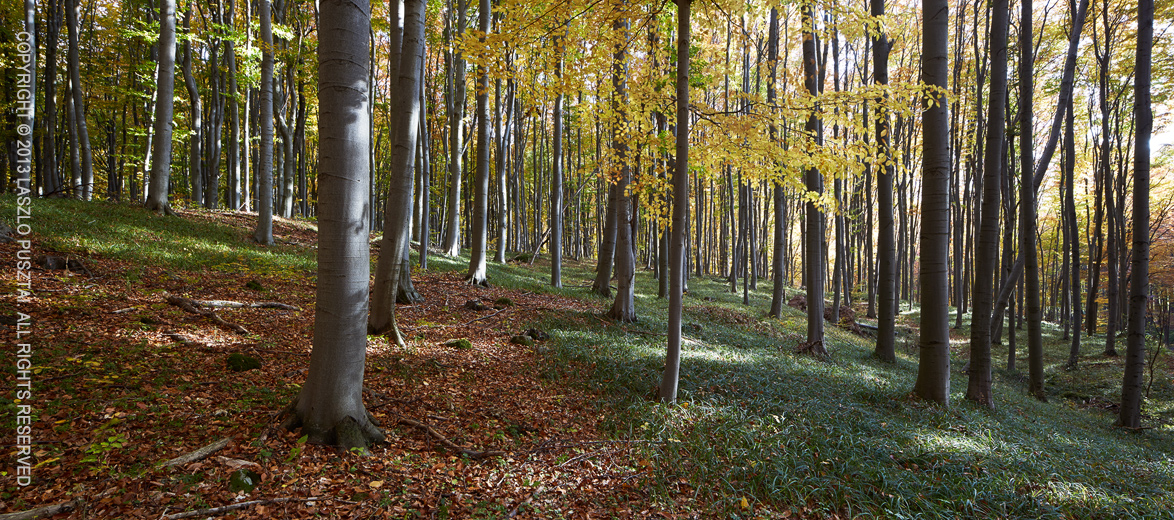
As you probably noticed from my posts, I’m a huge fan of Canon’s TS-E 24mm f/3.5L II lens. One of the reasons is that I can make pixel-perfectly stitch-able 2.4:1 wide panoramic shots – like the one below – with it. The only difficulty in making those images was composition: it isn’t easy to visualize a shot when you only see half of it.

This image is a stitch of two frames: one taken with the lens shifted all the way to the left, while the other with the lens shifted to the right. Extreme edges cropped.

This image is a stitch of two frames: one taken with the lens shifted all the way to the left,
while the other with the lens shifted to the right. Extreme edges cropped.

But that difficulty is past now.

A couple of weeks ago I received a package from ALPA, containing their brand new ACAM Super Wide Converter. They sent it for certification with our upcoming Mark II Artist’s Viewfinder app, and also for my personal use. It was like Christmas for me. Quick first tests showed that the adapter has a conversion factor around 0.5x, which number was later confirmed with formal measurement in our lab. In other words, you can simulate a 17mm lens attached to a full frame 35mm using that. Or you can view almost the whole wide frame that will result from the TS-E stitch!

This is no small feat: you can walk around carrying a finder and checking lots of stitched composition without actually setting up the camera. And the actual capture needs less than half of the time it used to require.

The whole setup

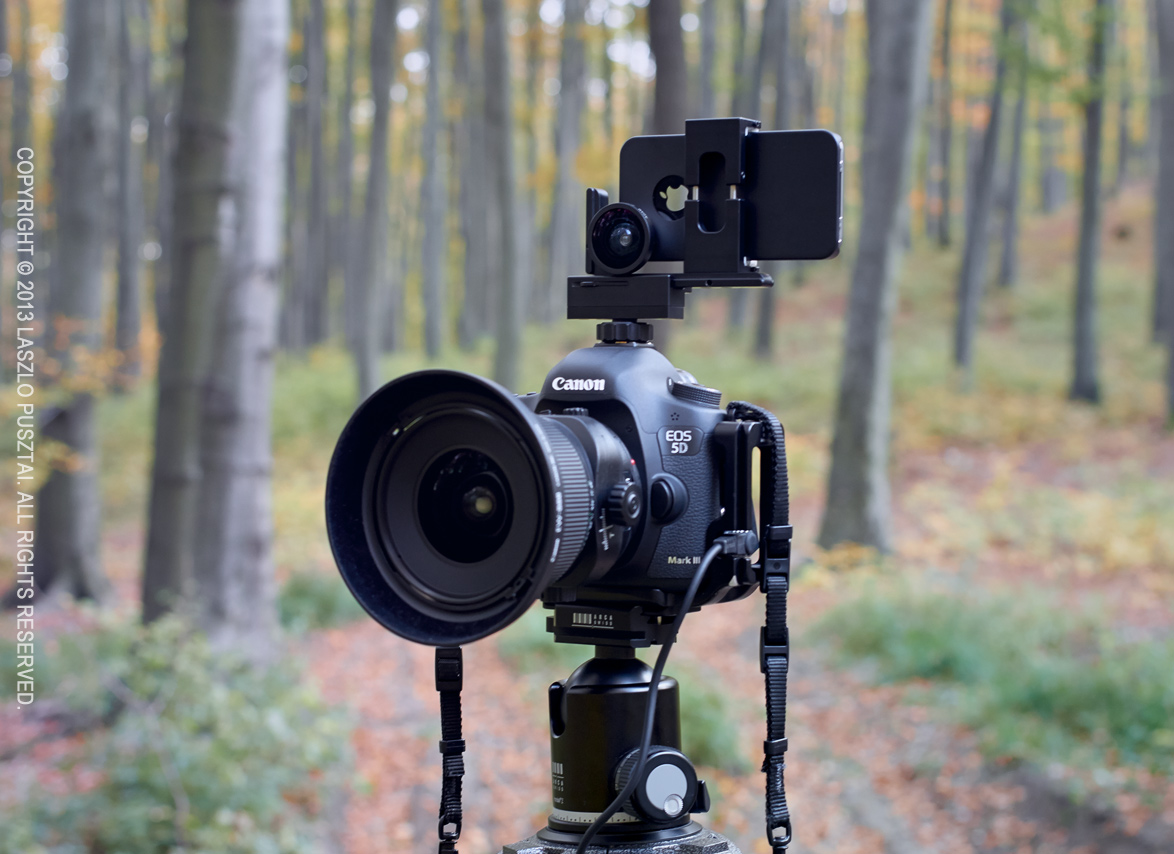
The following image shows the setup I use for taking the images for pano stitches.

My stitched pano setup

My stitched pano setup

The camera and lens is nothing special, however the thing on top is. Attached to my iPhone is the ACAM wide adapter. The phone is held in position (note that the lenses are centered to avoid horizontal parallax) by an ALPA iPhone Holder. This is the Mark I, they now sell the Mark II complete with the wide angle adapter. As the holder was designed to be used on ALPA cameras, thus I also use an ALPA hot shoe mount adapter.

How much? – you might ask. You should log in to ALPA’s site to see their current prices, but as a guide: this whole viewfinder setup will set you back around $1150 (including the holder, hot shoe adapter, ACAM wide adapter and our Viewfinder iPhone app). If you think that’s a lot for a viewfinder, I recommend you to check out prices on a Linhof 45 Multifocus Viewfinder, for example (hint: it is around $2000 for way less functionality).

The ACAM wide adapter itself selling for less than $60 is extremely affordable considering what you get in exchange. I recommend every serious landscape and architecture photographer to check out this solution. Paired with our upcoming Mark II Artist’s Viewfinder it offers unprecedented value and functionality.

Update 11/20/2013

Today we announced the beta of Mark II Artist’s Viewfinder that sports real-time distortion correction for the ACAM SWC, making the above rig much more valuable. Read my post about it.