ShutterCount 3.3 Released

The latest release of my ShutterCount app is now available on the App Store. Version 3.3 brings Wi-Fi pairing enhancements, updates the camera firmware version database for the Plus Pack and adds home screen quick action support. Let’s begin with this one.

The app provides the three shortcuts you see on the screen shot.

Camera Pairing brings up the pairing screen immediately, no need to go though the usual “tap Connect”, “tap New Camera Pairing” steps.

History and Graph will open the corresponding tab with the camera list.

You may also have a fourth element for sharing (spreading the word about) the app, which iOS places automatically to the shortcut list.

These shortcuts are available on iPhone models having 3D Touch capability.

Regarding Wi-Fi and Ethernet connected cameras, we’ve made enhancements and the app now recognizes cameras up to 2x faster. It is especially noticeable when you connect the same camera regularly.

These enhancements are also allow us to detect when someone attempts pairing in the wrong pairing mode.

ShutterCount requires the EOS Utility connection mode, as the Smartphone Connect mode is rather limited and doesn’t provide a way to query the counters.

But this is different from what people are used to do on their mobile devices, and despite the guidance in the app and the Getting Started Guide, we had several cases where users unsuccessfully wrestled with the unsuitable connection mode. Now you’ll know immediately if you mis-selected the mode.

Both enhancements (faster connection and the warning) are also available in the Mac version.

Version 3.3 is a free update for existing users on both operating systems. New users can purchase the app in the respective App Store. Live View Pack and Plus Pack are available as in-app purchases.

ShutterCount 3.2 Released

Version 3.2 of my ShutterCount app for both macOS and iOS was released yesterday. This version adds a few new features and improves others. Camera makers were quiet recently, so the only new camera we certified the app with is the Nikon D850 (for the Mac version).

From the new features, let’s discuss the Usage Meter first. For several cameras the manufacturer publishes an “official” shutter durability rating. Sometimes these are key selling points for the camera, in other cases the numbers are buried deep in a web page or document. We’ve gathered these ratings for all supported Canons, and most Nikon and Pentax models. Both the percentage display after the count and the Usage Meter bar are relative to these ratings.

Usage Meter showing still photo and live view counts

The dark blue part indicates still photos, the light blue live view actuations (the latter is available when you purchased the Live View Pack). Percentage display was formerly available in the Plus Pack, but now it’s in the base app.

Of course these ratings are not hard limits, so your camera may go well over 100% – I’ve seen several ones with 300% or more. If yours is over 100%, an orange indicator will appear on the Usage Meter marking the 100% position.

We’ve received quite a few requests to allow photo count only display even if you have the Live View Pack, and to separate these values. So now you can toggle between photo only and photo + live view display via the menu (as well as the More tab in the iOS version), by clicking/tapping the “Shutter Count” title on the Camera Summary tab and via a dedicated check box/switch on the Graph tab.

Just like the Usage Meter (and the Distribution Chart), the Graph now displays live view actuations in light blue.

New live view count graphing

In case you have live view counts for part of your history data – just like on the above screen shot showing my 7D Mark II – the live view count graph will only appear for the respective part. And forecasting will only take into account history entries having both counters. The trend line also indicates this: with a dashed section marking ignored history data and a dot showing the forecasting start date.

Speaking of history data, that tab was also beefed up. Gray text indicates entries with no live view count (in case you have the Live View Pack) and red text indicating entries with a lower value than a previous one.

The above features are available on both macOS and iOS, but now let’s talk about something that’s Mac only: File Mode changes.

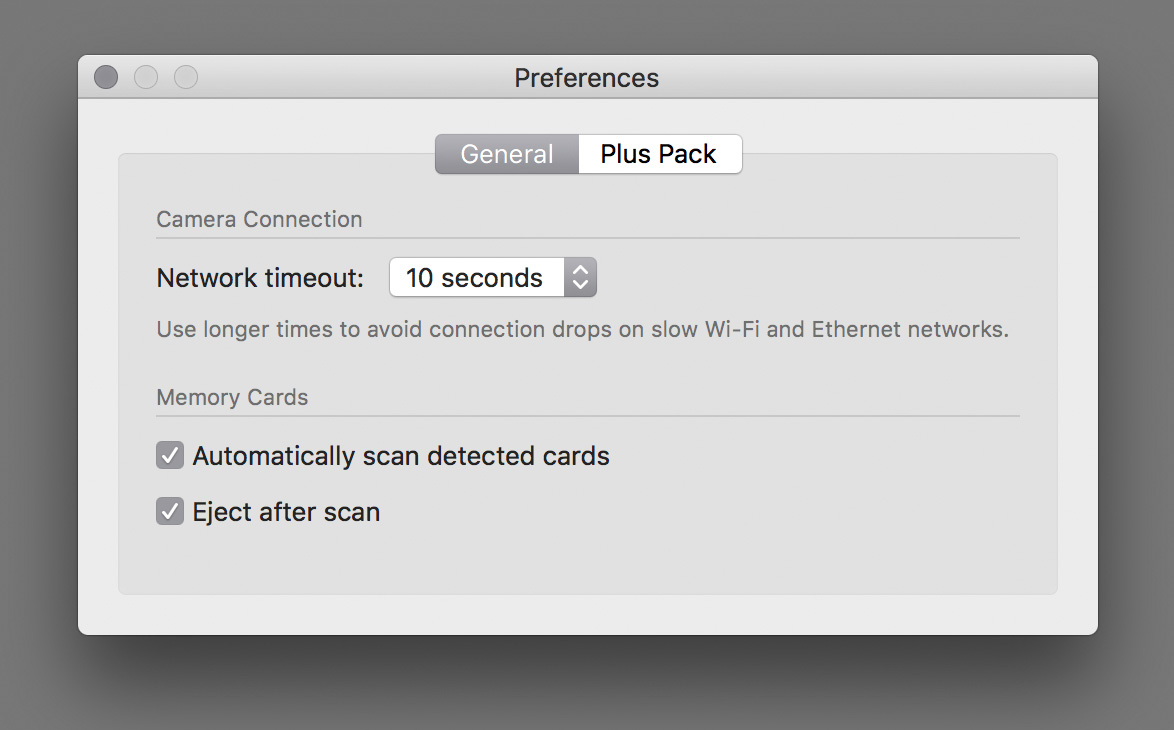
Due to a bug in OS X 10.7 and 10.8 we had to disable automatic memory card scanning on these operating systems. Apple corrected it in 10.9, so contemporary versions are not affected. And while I was working on this, added a preference to turn automatic scanning off if you don’t like it.

New is the Eject after scan preference – which is a huge time saver. With this and automatic scanning on, just pop a memory card into your reader while the app is running, and it will scan the card, do the reading from the latest image and also eject the card properly. The fastest way to get the counter from your Nikon or Pentax. Automatic scanning is on, while ejecting is off by default.

Memory card scanning preferences

Version 3.2 is a free update for existing users on both operating systems. New users can purchase the app in the respective App Store. Live View Pack and Plus Pack are available as in-app purchases.
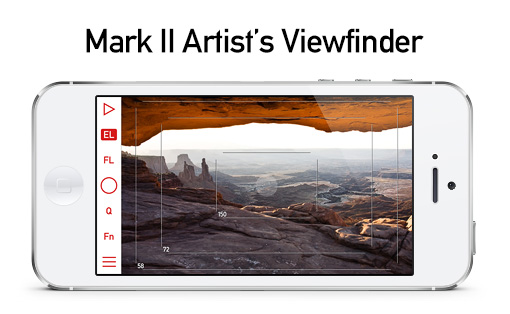
Mark II Artist’s Viewfinder 4.7 Released

IMG_0050My Mark II Artist’s Viewfinder app is now available on the App Store.

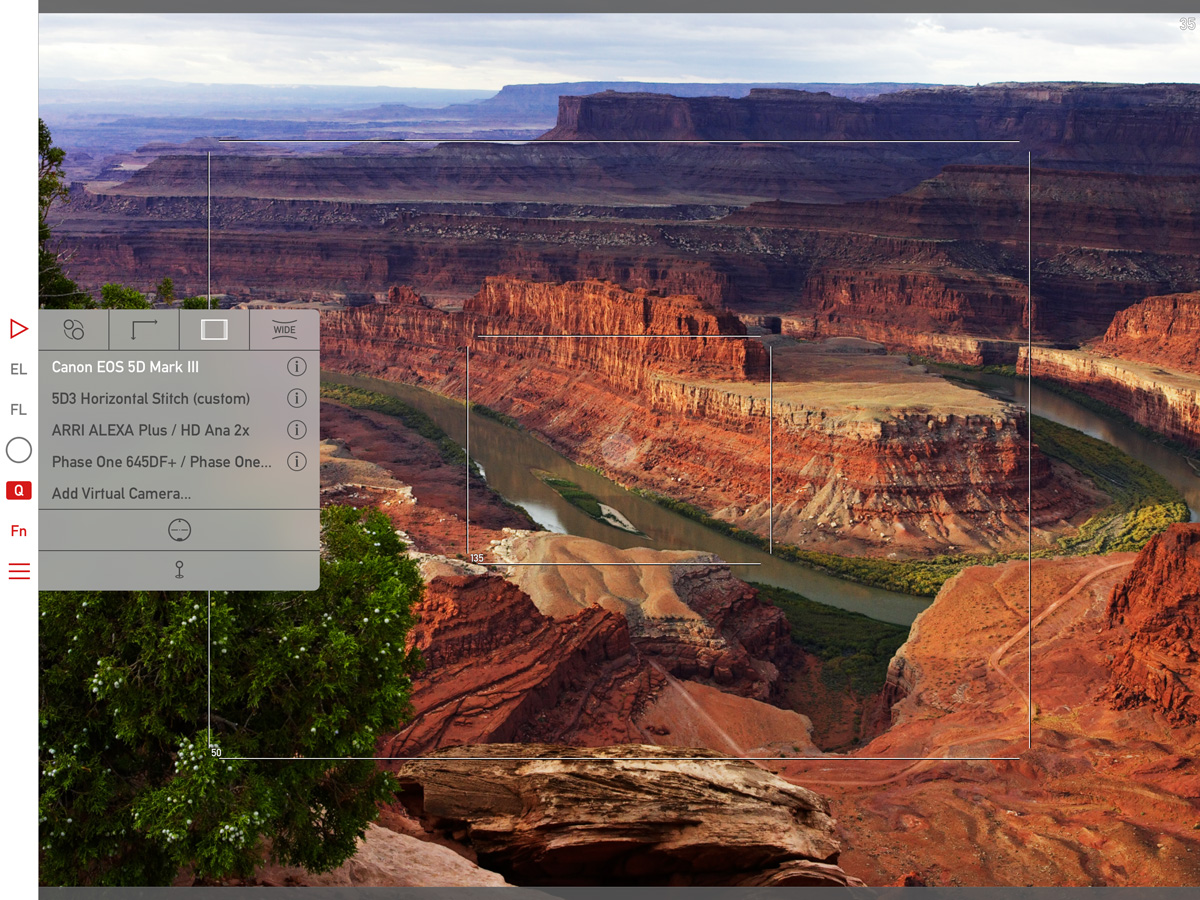
The major new feature is the ability to create a custom wide converter, on which I posted recently.

Other than this, we have added support for a few newly released cameras:

• Canon ME20F-SH
• Fujifilm X-T2
• Hasselblad X1D-50c
• Pentax K-70
• Sony A6300, SLT-A68

This is a free update for existing Mark II Artist’s Viewfinder owners.

As you can see on the left, we offer upgrade bundles for former Viewfinder Basic/Pro/Cine edition owners, so they can upgrade for a reduced price.

Please note that if you have ALPA eFinder II, the custom wide converter feature, as well as the new cameras are only available if you also purchased the Camera Pack.

ShutterCount on iPhone and iPad

My ShutterCount app is now available on iOS!

It runs on 64-bit devices running iOS 9 or later (that is: iPhone 5s or later, iPod touch 6, iPad Air or later, iPad mini 2 or later, iPad Pro).

Since Apple does not provide a way to control a camera via USB from an iOS device, ShutterCount Mobile relies on Wi-Fi or Ethernet connection and thus supports cameras having one of those. Either built-in, or utilizing an external Wireless File Transmitter.

So at the moment it will work with the following Canon EOS cameras: 6D, 70D (using built-in Wi-Fi); 5D Mark III, 7D Mark II (using WFT-E7 transmitter); 1D X, 1D C (using built-in Ethernet or WFT-E6 transmitter).

Feature-wise it is equal with the Mac version – besides a simple reading it sports history logging, with the ability to copy the logs into Apple’s Numbers or Microsoft Excel. Plus you can access these logs through iTunes file sharing.

Because of the network connection required to the camera, you’ll need to do an extra step before the reading – pair the app and the camera. ShutterCount relies on the camera’s more advanced EOS Utility connection mode (and thus will not work with the simple smartphone connection mode). Mind this when establishing the connection.

I’ve recorded a short video showing the entire pairing and reading procedure between an iPod touch and my EOS 7D Mark II. The camera is connected through a Canon WFT-E7 transmitter using an Ethernet cable to our office network, while the iPod is connected to the same network via Wi-Fi.

Click here to watch the video on our YouTube channel.

Towards the end of the video I make three test shots and power cycle the camera to show the updated shutter count. Note that the camera needs some time to register itself on the network, and that pairing needs to be done once – the next time the app will automatically recognize the camera.

This automatic connection remains in effect until you either pair the camera to another app (Kuuvik Capture for example), turn off the network connection on the camera, or quit (I mean force quit, pressing the Home button is not enough) the app on the iPhone/iPad.

You may want to read my previous post on Canon EOS camera pairing and the ShutterCount FAQ for additional pairing tips.

ShutterCount Mobile is available on the App Store.

Viewfinder 4.4 with 3D Touch and iPad Pro Support

Version 4.4 of the Mark II Artist’s Viewfinder is now available on the App Store.

Besides the usual bunch of new wide converter profiles and cameras (detailed in the release notes), the two main new features are 3D Touch and iPad Pro support.

I already wrote about 3D Touch home screen Quick Actions in a sneak peek.

On the iPad Pro front, the app now takes advantage of the entire, huge screen. User interface elements remain the same size as on all full-sized iPads. This is to let the content occupy the majority of the screen real estate.

vf-ipad-pro

We also checked all the wide converters we have on the Pro, and were able to mount the Moment wide lens (both the iPad Air 2 and iPhone 5s clips fit). So this version adds support for the Moment wide lens/iPad Pro combination. More wide converters will be supported as their manufacturers come out with iPad Pro compatible versions.

Speaking of wide converters. Schneider is lagging behind again with iPhone 6s/6s+ support. We were able to use the 6 case on the 6s, so that’s in this release. But there’s no 6s Plus case yet.

Version 4.4 is a free update for existing Mark II Artist’s Viewfinder owners. Users of former Viewfinder Basic/Pro/Cine editions can upgrade for a reduced price.

Sneak Peek: Viewfinder 3D Touch Shortcuts

Earlier this week I have received both the iPhone 6s and 6s Plus – the latter of which is the phone I’m using now. So immediately started working on updating the Mark II Artist’s Viewfinder. I find the 3D Touch feature a great addition, especially home screen shortcuts speed up my everyday life with the phone. And as you can see below, Viewfinder 4.4 will sport a home screen shortcut menu.

3D Touch shortcuts in the upcoming Artist's Viewfinder 4.4

3D Touch shortcuts in the upcoming Artist’s Viewfinder 4.4

The menu includes the three last recently used virtual cameras (and the option to create a new one if there are less than three recently used cameras), and a shortcut to quickly access the album.

I’ve also completed the bench measurements of the two phones plus the iPad mini 4, along with olloclip 4-IN-1 and Moment wide converters on the two phones.

More to come, so stay tuned!