Creating a Wi-Fi Access Point on OS X

With Kuuvik Capture 2.2 around the corner, I’m going to post a few short tutorials on wireless “tethering” setups. Yes, the wireless connection option will make a return in version 2.2!

So let’s start with a solution to one of the most aching issues.

Imagine the following situation: you are out in the field, photographing an old castle. You want to place the camera on a crane to photograph from a high vantage point. The crane is higher than your longest USB cable can reach, so wireless connection would be the most appropriate solution.

First obstacle: all Canon Wireless File Transmitters (both built-in ones and external bricks) require an existing network to connect to in EOS Utility mode. Yes, it’s utterly stupid, since in other modes they can operate as an access point and create their own network. But other modes simply suck in terms of remote control features.

Back to our example: there’s no phone coverage (for the Personal Hotspot trick), there are no nearby networks of any kind to connect to. You could create an ad-hoc wireless network on your Mac, but setup is complicated and error prone (needs manual TCP/IP configuration on both the computer an on the camera), and in the last few versions of OS X there’s no way to create a secure Wi-Fi network (another utter stupidity). The lack of security is a total showstopper, so this isn’t the appropriate way to make the connection work.

There’s a neat trick, however. OS X has a built-in Internet Sharing feature that practically creates a Wi-Fi access point to share an existing network connection. The next obstacle is that you need the network you want to share to be in the “connected” state (think cable plugged in both to the computer and into a router). Unfortunately the built-in loopback interface (which is always connected and provides access to the local computer only) is not accessible from the Network preference pane in System Preferences (one more stupidity).

The key to the trick is to make the loopback interface appear in the Network pane. Actually, it’s pretty straightforward: launch the Terminal app and copy & paste the following two commands (working on both Yosemite and El Capitan):

sudo networksetup -createnetworkservice Loopback lo0
sudo networksetup -setmanual Loopback 172.20.42.42 255.255.255.255

Enter your password to allow these modifications if OS X asks for it.

Now your Network preference pane should list the brand new Loopback service:

network-loopback

It’s still listed as “not connected”, but don’t worry, that’s just a bug.

Side note: if you use multiple “network locations”, you need to repeat the above commands for each location. If you just use the Automatic location, then you can move to the next step.

Go to the Sharing preference pane, and on the list of services click Internet Sharing. If the service is already on, turn it off. Choose the Loopback service as the one you want to share your connection from. And share to computers using Wi-Fi.

sharing-1

You can set up the shared Wi-Fi network (the network we’ll connect the camera to) by clicking the Wi-Fi Options button. Here is the Wi-Fi Options screen:

sharing-2

The network name is your computer’s name by default, but I’d recommend to enter a simple alphanumeric name (containing no special characters), as Canon cameras have issues with displaying characters outside of the simple letters and numbers range.

All other options are the usual Wi-Fi setup options. A few notes though. Channels 1-11 use the 2.4 GHz band, while 36-48 use the 5 GHz band. Transmitters in the 70D and 6D only operate on the 2.4 GHz band, while the external WFT-E7 brick operates on both. The 5 GHz band is faster and generally has less interference from other networks and appliances operating in the crowded 2.4 GHz band. For security, choose WPA2 Personal (the other option is None, which is unacceptable).

Once the Wi-Fi options are entered, you can start the sharing service. To do it, click the check box in front of its name in the list. OS X may ask to turn on your Wi-Fi radio if it was off, and will ask your confirmation to start the sharing service. After the service has been successfully started you’ll see a screen similar to the one below:

sharing-3

IMPORTANT: due to an OS X bug, your selection in the share from list may change to another (random) network service. So you must check whether it still shows the Loopback service after each start!

The Wi-Fi icon on the menu bar will change to the sharing icon once the sharing service is ready to accept connections.

sharing-on

And that’s it! Your personal access point is now ready. The steps to configure your camera will be discusses in an upcoming post.

  ☕ ☕ ☕

Did this post help you? Consider buying me a coffee if so.

Zeiss Otus 1.4/28 First Impressions

Today’s arrival of the Otus 1.4/28 completes the last large piece of the 5DS R induced lens kit revamping puzzle. And it’s large is several ways…

My new core kit consists of the following lenses: Zeiss Distagon T* 2.8/15, Otus 1.4/28, Otus 1.4/55, Apo Sonnar T* 2/135 and Canon EF 500mm f/4L IS II USM as well as Canon’s 1.4x III extender.

But back to the 28mm. This may be one of the first production lenses available, which I bought for my own use. I mention this because I’m increasingly getting tired of photo equipment reviews where the reviewer gets a lens or camera from the manufacturer for a short period of time to form conclusions that should (in theory) drive sales. Sorry, but I don’t believe people who tell me to buy a lens that they haven’t purchased for themselves. It’s a bit stinky for me. Buying an expensive instrument is almost always a revelation: “I spent a lot on this item because I trust the manufacturer, the instrument is that good and it’s definitely worth it.”

So, the 28mm Otus is that good and it’s worth every (euro)cent I spent on it. If you know me, you know that these are from someone who’s picky to the extreme. No, it’s not perfect, but it’s the best wide angle lens I’ve ever used. That is, there’s no point in doing pixel peeping. If you are curious, I’d recommend to subscribe to Lloyd Chambers’ site for detailed aperture series and tons of sample images. I’m a long time subscriber and Lloyd’s site is one of the few I trust these days. Another review I’d recommend is a veteran Otus user Ming Thein’s.

Given my tight schedule, I only had a few hours today to do initial checks. Light was totally lousy, so no images made with the lens today. But here’s one of the lens, with which I’m going to jump right in the middle.

The Otus 28 with LEE's push-on filter holder

The Otus 28 with LEE’s push-on filter holder

And this is about using filters on the 28. I’ve switched to LEE’s 100mm square filter system a few years ago – and never looked back. The 28 has a 95mm filter thread, for which LEE has a normal adapter ring (no wide angle option is available). Unfortunately, my two-slot filter holder vignettes at the corners when rotated to 45 degrees using the normal ring. I was really disappointed by this, but for who knows what reason, I’ve tried to fit LEE’s 100mm push-on holder on the lens. To my greatest surprise, it was a perfect fit. My jaws literally dropped when I took a closer look on the front of the lens. There’s a small recess in front of the hood bayonet for the push-on holder. Absolutely marvelous. To the marketing guys at Zeiss: you should advertise this. It’s a huge plus.

You get a tiny bit of corner darkening even with the two-slot push-on holder, but you can either remove one of the slots or get rid of the vignetting in post.

Side view showing the holder's fit and how large the Otus 28 is

Side view showing the holder’s fit and how large the Otus 28 is

The 28mm is on the larger and heavier side of optics. Some would say that it’s extremely large and heavy, but to anyone accustomed to carrying and using super telephoto lenses, its manageable. But you need to watch out for the weight. There’s no tripod collar, so you’ll need to hang the lens off the camera’s mount. Which will put more than usual stress on both the lens mount and on the tripod screw. Since my 1D Mark II’s tripod screw socket suddenly separated from the L-plate, and the rig hit the ground with the 24-70 mounted, I’m giving suspicious looks to mounting screws. Fortunately the 5DS R has a strengthened base place, and I’m using a Kirk L-plate that is secured to the camera in two places (with the tripod screw and fastened to the strap lug). Ball head sag could also be a problem (but it’s not with the geared heads like the Arca-Swiss d4 I’m using).

Focusing experience is great, images pop to sharp when using Kuuvik Capture‘s live view. A word of caution though (this is omnipresent with all high performance lenses and the huge 50 megapixel resolution of the 5DS R). You can’t focus 100% perfectly using the minified live view image. Not even in 6x magnification (16x is just 6x blown up in software, so forget about that). It may show that you nailed focus perfectly, which could fall rather unfortunate planes on the final image. Even at f/5.6. So it is advisable to check images at 100% magnification after they were taken. I’m doing this in Kuuvik Capture after each capture, and for shots I think would be final, I also do a check in Capture One. Yes, you need a notebook for this, but heck, the 11″ MacBook Air weighs about 2/3 of the Otus and fits in the pocket of my trusty Domke photo vest…

Speaking of f/5.6. It seems that I will definitely need focus stacking if I need front-to-back sharpness. It would be a cardinal sin to kill the lens’ resolution and wonderful micro-contrast with diffraction, and at f/5.6 depth of field is definitely not enough for making everything sharp on the image. Or look for another composition where there’s no front-to-back sharpness needed. This isn’t new with the 5DS R, just be prepared to do some extra work to extract every last ounce of quality from this beast.

I did a quick comparison of the other wide lenses I have now: with the Canon 24/2.8 IS and 35/2 IS. The tiny 24 was known to blow even the TS-E 24mm away for center sharpness. Well, the Otus is better in the corners than the 24 in the center. Even at f/5.6. While the 35mm has more uniform image across the frame, it’s simply not in the same leagues with the Otus. I found that basically there’s no point in comparing the lens with anything except another Otus. Although I had no time (nor intention) to do side by side comparisons, the 28mm shows the same clean, transparent, airy images that the 55mm and the Apo Sonnar 135 are known for.

That’s all for now, after the first half day with the lens (this is a first impressions post after all). More when I will have chance to use it for actual work. But just like with every other lens in my current kit, it’s love at first use. I’m completely confident that they’ll bring home tons of great images during the coming decades (yes, decades).

  ☕ ☕ ☕

Did you enjoy this post? Consider buying me a coffee if so.

First Outing with the Zeiss Distagon 2.8/15

Christmas arrived early this year for me – the sleigh disguised as a DHL truck… In the package there was a box containing a Canon-mount Zeiss Distagon T* 2.8/15 lens. After the usual shots around the house, I decided to visit my favorite lens torture place.

I usually check basic lens functions here, look for centering errors and such. Just to get a feeling of how the lens will perform.

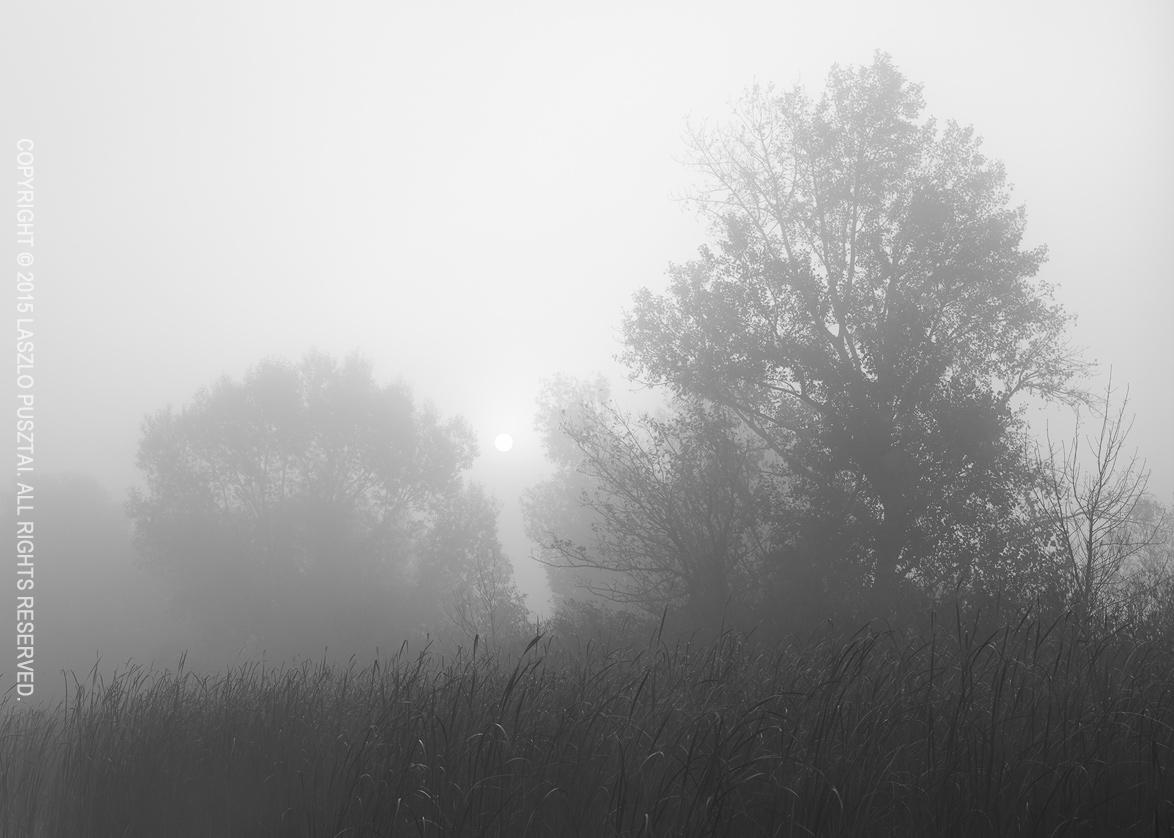
Today it was a foggy, damp evening, with a light drizzle. I had absolutely no intention to make an image. But the 15mm Distagon surprised me big time. This is my third Zeiss, and they have a common trait: the ability to render even the most mundane subjects in an interesting and pleasing way.

Case in point:

Foggy, Damp Evening

Foggy, Damp Evening

The 2.8/15 draws a true-to-life, well balanced image. No signs of the “tingling” behavior of Japanese designed glass (both Canon and Sigma are similar it this regard). It’s interesting that I experienced the same with hi-fi equipment in the past. Well, cultural differences and preferences at work.

I just prefer the Zeiss look.

15mm is the widest focal length I’ve ever used (17mm being the second widest). I like the interesting and dynamic perspective ultrawides can produce, and after a decade of working with them I find 15mm pretty easy to work with. Much easier than 17mm was.

I’ll spend some time shooting the lens during the holidays, and will share my further impressions. In January the lens will go back to Zeiss for a little surgery: to get rid of that useless lens hood and make it compatible with my LEE filters. More on this later.

Fall Stream Reflection

I’ve noticed this scene while walking along a stream in the woods of Zemplen. I was using the Mark II Artist’s Viewfinder to hunt for images, and even looking on the screen of my iPhone 6 Plus showed that the shot will be a tricky one.

Why? Because of leaves floating around in the water. And most of those leaves were downright ugly. So I had no choice but to grab the LEE Big Stopper and go for a very long exposure.

Fall Stream Reflection

Fall Stream Reflection

At 135mm, I had to stop down to f/22 for appropriate depth of field. While I wouldn’t do that normally because of the sharpness killing effect of diffraction, here it was only part of the overall softness. Moving water also reduced sharpness and the reflecting fall foliage was deliberately left slightly out of focus. Nevertheless, a healthy dose of deconvolution sharpening was applied to restore detail.

But back to the long exposure. It was 6 minutes and 40 seconds. Floating ugly leaves left no trace at all. As usual I shot tethered to Kuuvik Capture 2, so fine tuning bulb exposure length was a piece of cake.

Tern Landing

Sometimes Fortuna smiles at you. This image was shot with the very last rays of the setting July Sun illuminating the tern. Even the 7D Mark II’s autofocus was struggling, and I was able to shoot just one frame.

Whiskered Tern Landing

Whiskered Tern Landing

But this one frame turned out to be my favorite from the day. Shutter speed at 1/500s was slow enough to let the bird’s wings go blurred, but luckily its head is tack sharp. A few clouds caused the background water and sky to go muted pastel, while the bird is burning in the setting Sun. No flash, just available light.

Zeiss Otus 1.4/55 ZE First Impressions

It’s both hard and easy to write about the Otus. Hard, because there are qualities in this lens that one has to witness in person. And easy at the same time, since there are so many good things about it. So many, that one tends to forget about all the minor glitches and imperfections.

I didn’t want to join the “crap shot with an Otus” gang you may find on different forums, so went out to catch the last days of fall. I have the 55 for about a month now, but had only a few days to work with it since its arrival (partly because natural reasons, but mostly because it went back to Zeiss after the first days – more on this later).

Image Quality

It’s among the best I’ve ever seen. And I don’t just mean its high resolution. Take the following image for example. I’ve shot this scene from my favorite port on Lake Tisza more than a couple of times.

Morning on the Lake

Morning on the Lake

None of the other images have this airy, three dimensional feeling that draws the viewer into the image. Some manufacturers refer to the residual aberrations in their products as the lens’ character. The character of the Otus is that it has no character. It was shocking when I noticed it with the Apo Sonnar 2/135, but the Otus 55 is the same. Even mundane subjects look good when photographed with these lenses. They render the scene almost as I see it.

I was in constant awe during the first morning with the Otus. I hadn’t had this feeling since the early days of digital photography. With the D60, 5D and 1D Mark II, L lenses were better than the cameras. But since the 5D Mark II and III arrived (not to mention the 5DS R), lens problems became more and more visible and partly ruined the game for me. It’s pretty devastating to shoot a great scene only to realize later that your lens is not up to the task. My recent move to an all-prime setup alleviated this problem to some degree, but only the Otus was able to evoke that feeling again. Even at 100%, all I see are gorgeous pixels.

No, it’s not completely, 100% free of all optical aberrations, but being an apochromat, the most annoying color errors are corrected to a very high degree. What remains is strong vignetting wide open, and barrel distortion. Neither of those is very hard to correct during post processing, it you want to correct them at all. Vignetting really helps the following image.

Late Fall Colors

Late Fall Colors

This was shot at f/1.4 and the quick transition from sharp to unsharp helps to attain three dimensionality. The lens is completely usable at f/1.4 without any restrictions. You don’t have to stop down for better image quality – this is huge creative freedom.

The only aberration that could be problematic is distortion. It’s clearly visible in some situations (think architecture), but I would strongly recommend leaving it uncorrected if possible, as distortion correction may kill the lovely micro-contrast of the Otus. Try to work around the distortion with your composition instead.

Speaking of contrast, the high contrast really insists black and white conversion, as you can see in my previous post.

Handling

I won’t talk about build quality, since it’s as good as one can wish for, so let’s move on to handling.

This is a large lens. I won’t say huge – huge is the word for the first generation Canon 600mm and 400mm IS lenses in my book. Its weight really helps to stabilize the camera if you must shoot handheld. In other words, it’s like a 24-70 zoom.

Small focusing ring rotation is a recipe to endless frustration when it comes to manual focus – and the Otus’ 245 degree rotation makes it easy and a joy to focus the lens. As you might already noticed, there’s no autofocus. But I would nevertheless recommend to calibrate your AF microadjustment value, because the AF sensor still works for focus confirmation – and precise focusing is crucial to extract the maximum attainable performance.

A sturdy tripod and a stable head is the real home of the Otus (especially on the 5DS R). I also prefer to shoot tethered to Kuuvik Capture for all the benefits the larger screen can bring.

The Glitch

otus-lintAt the end of the very first morning I touched the rear lens element. And when I started to clean it, I noticed a long lint (thread? hair?) inside the lens. It was visible on the very first shots I made of the lens for the insurance company.

So it went back to Zeiss immediately (actually to the dealer and they sent it to Zeiss). I received the lens earlier today, lint removed and focal flange distance readjusted. Because it was “out of spec”. I’m talking about a brand new, premium lens here.

I don’t know, but there’s something terribly wrong with quality control these days. I received the first 5DS R completely dead, had to send back several iPads because of screen uniformity and color cast issues… It’s not only Zeiss, it’s the industry in general.

The question is not whether you’ll get a lemon, the question is when will you get a lemon. And how the dealer and/or the manufacturer handles the situation. Fortunately for me, all these problems were quickly and successfully solved by the dealer and/or the manufacturer. Free of charge. But I cannot stress enough the importance of buying from a reputable dealer… And the importance of inspecting/testing new gear.

Also note that even a lint this large rarely shows up on real world images. The two pictures above (and the black and white if you followed the link) were taken with the lint present – and you don’t see it. It reduces contrast and actually became visible on homogenous backgrounds only at some focusing distances.

Oh, and you can see on this image how hard is to keep the rear element clear. It’s not Canon’s fluorine coating. The rubber focusing ring is also a dust magnet. But a little extra cleaning work is acceptable in exchange for the lens’ superlative imaging qualities. I just hope that the large opening for the distance scale will not suck dust and dirt into the barrel.

Compared to the Sigma 50mm Art

Ok, but how it compares to the Sigma? This is a question you surely will ask when thinking about a high-grade normal lens. I bought a Sigma last year (my first impressions review is here) for the 5D Mark III. The 5DS R stirred the pot quite a bit, to a degree where I decided to spend the $4000 on the Otus and part with the Sigma.

Please note that we’re splitting hairs here – both lenses are vastly superior to what Canon or Nikon has to offer. The Sigma is a great lens, just not on the level of the Otus. It’s quite close, and if you don’t want to spend $4000 on a normal lens, the Sigma is an excellent choice. But the Otus is better…

The Otus has higher resolution in the corners. In the image center the Sigma is pretty close (on the 5DS R), but the corners are a different story – even at f/5.6. Color correction is much better in the Otus. I prefer the overall “look” from the Otus. It’s more natural, while the Sigma tends to be a little clinical. Distortion is visibly less on the Sigma – this may be a serious point if you are doing lots of architecture work. Haven’t compared vignetting, as neither bothered me too much.

Focusing is by far superior on the Otus. Although the Sigma is an AF lens, it’s implementation is quite inconsistent and I was unable to arrive at a working AF tuning setup that works both at infinity and close distances. So I consider the Sigma a manual focus lens. With live view focusing it’s bearable, but it’s way faster to focus the Otus.

Conclusion

As my better half says: “we love the Zeisses”. And as she continues: “there must be a significant difference if even I can notice it immediately”.

This is a kind of equipment that will actually make your images better. Partly because of the wonderful rendering, partly because it slows you down, and finally because you’ll find much more joy in making images with this lens.

Yes, a good photographer can make good images with crappy cameras, but a good photographer can make images that sing with the Otus.

If manual focusing and the normal lens fits your working style, working from a tripod or even tethered doesn’t scare you away, and actually print your images large – do yourself a favor. Rent an Otus. And if you have the funds – buy one. This may be the best investment in photo gear you ever made.