Kuuvik Capture 4.2 Released

Version 4.2 of my premium Canon tethering app, Kuuvik Capture, is now available on the Mac App Store.

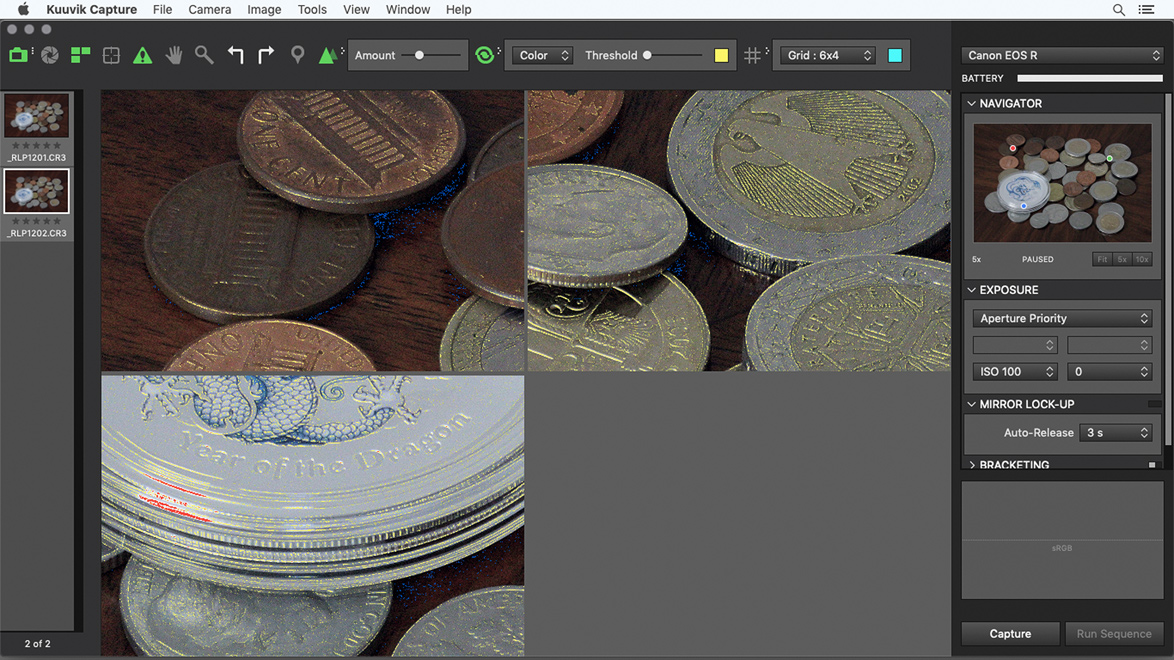
The headline feature is that the app is localized to French. Localization is much more than simple translation, and Agnes did a great job here: the app has a slightly different personality than the English version, but I quite like it. Click the image below for a larger view.

Although I don’t speak French, after spending weeks with the development and my cameras switched to French, I’ve learned quite a lot. It was an exciting and fun experience, I hope you’ll like the outcome!

It was also a good opportunity to revise a few messages (mostly error messages that you seldom encounter). The most prominent change is that the former “manual” white balance mode(s) are now named “custom” to be in sync with contemporary camera menus.

The other new feature is the C-Log mode indicator.

Once a camera is switched to C-Log recording mode, picture styles get disabled. So we reused the picture style selector control to display the C-Log mode and bit depth (on the EOS R, for example, where you can choose to use 8bit or 10bit recording).

Note that in 10bit mode the EOS R can’t record to a memory card (only to an external recorder), so just like the record button on the camera, the record button in Kuuvik Capture will have no effect.

The update is free for existing Kuuvik Capture users. New users can purchase it in the Mac App Store.

My eBook, Kuuvik Capture Inside Out, has also been updated to cover the new version. It is available as a free download from the Kuuvik Capture web site.

ShutterCount : Bonjour, les Francophones!

Thanks to Agnes, ShutterCount is now available in French!

This includes both the Mac and iPhone/iPad versions, and regular as well as Pro editions.

If you are using your Mac or iOS device in French as the primary language (or French is before English in your preferred language order), the app will automatically appear in French. Just make sure that you are using version 3.5 (the current one) or later. The update is free for existing users.

À bientôt!

Introducing ShutterCount Pro

We have received numerous requests to make purchasing the whole ShutterCount package (the base app plus the Live View and Plus packs) easier.

Here it goes, the new ShutterCount Pro (for macOS) and ShutterCount Pro Mobile (for iOS) editions contain the complete functionality right out of the box.

That is, you get live view actuation counts and the Distribution Chart (for supported cameras), and all the goodies from the Plus Pack: from graphing and forecasting, to additional niceties, such as Canon camera date/time sync and outdated firmware warning.

If these features sound new to you, then I’d recommend to read my former posts: this one about the Usage Meter and the Graph, and this other one about the Distribution Chart and live view counters in general.

Having purchased the original app, you can make it fully equal to the Pro edition by purchasing the Live View and the Plus packs in ShutterCount’s in-app store.

Kuuvik Capture 4.1 Supports the EOS R

Today is EOS R day. We’ve released ShutterCount 3.4 with EOS R support in the morning, and now I’m happy to announce that Kuuvik Capture 4.1 is also available on the Mac App Store with full Canon EOS R support.

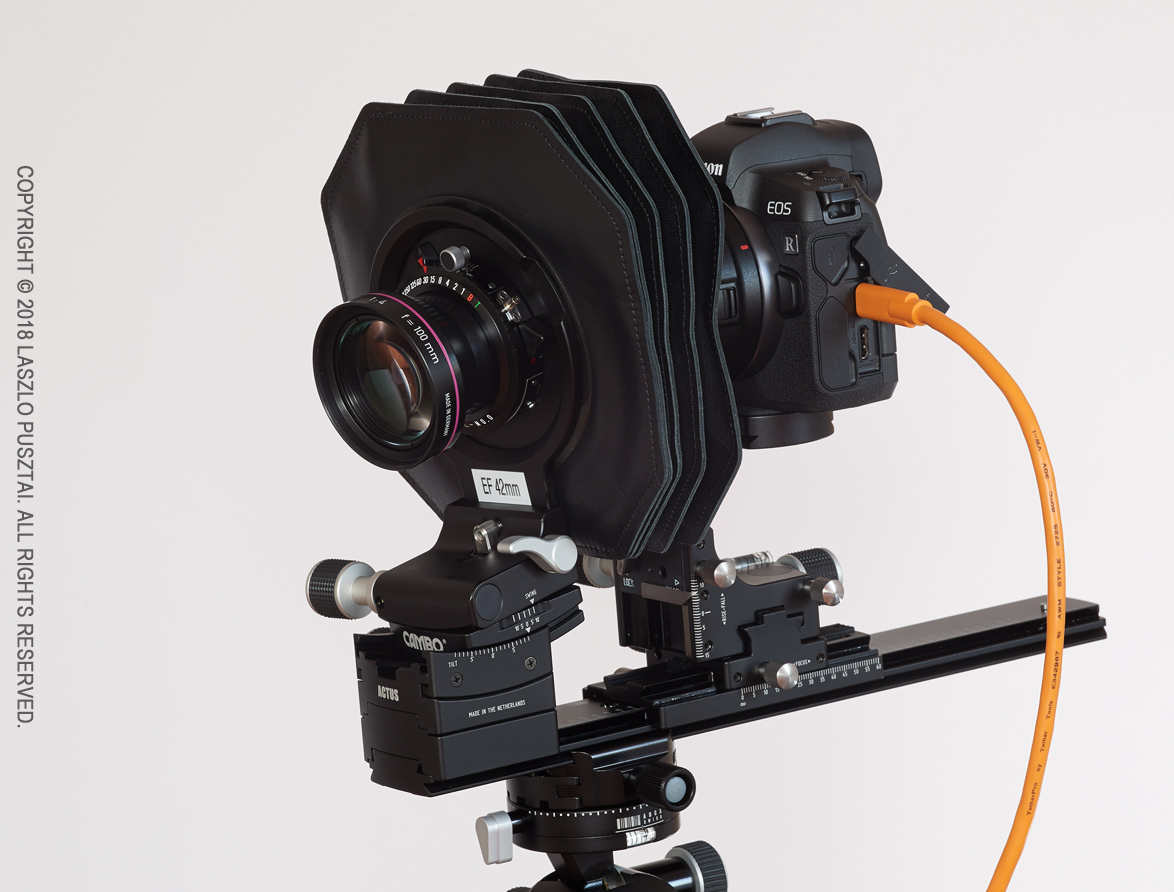
The EOS R is a special camera – having the fastest multi-point live view among the whole Canon repertoire, it is eminently suitable for use with tilt/shift lenses or view cameras. Pictured below is the R on my Cambo Actus-G digital view camera.

Canon EOS R on a Cambo Actus view camera

It’s not just the speedy multi-point live view that makes the R a great companion to the Actus-G, but the RF mount’s reduced flange focal distance (20mm instead of 44mm for the EF mount) allows you to use shorter lenses. A Rodenstock HR Digaron-S 60mm f/4 for example. Well, it will once Cambo starts selling an RF bayonet holder.

For those of you who aren’t aware of multi-point live view in Kuuvik Capture: it’s a unique feature (that is, no other app offers such a thing) allowing you to select up to three points on the live image and display them simultaneously in 5x magnification. An indispensable tool for product photographers.

Below is a screen shot of a the app showing multi-point live view in a typical scenario where you want to place the focal plane along the plane of the subject (the desk in this case).

Multi-point live view in action

It was shot with the Actus-G and a Rodenstock HR Digaron-S 180mm f/5.6 lens stopped down to f/8, with around 10 degrees of front tilt.

You can learn more about the multi-point live view in my free eBook, Kuuvik Capture Inside Out.

Besides EOS R support, there are a few fixes and support for macOS Mojave’s Dark Mode in this release.

Kuuvik Capture 4.1 is available on the Mac App Store. It is a free update for users who purchased the app earlier from there. You can see the complete list of new features and changes in the release notes.

ShutterCount 3.4 Supports the EOS R

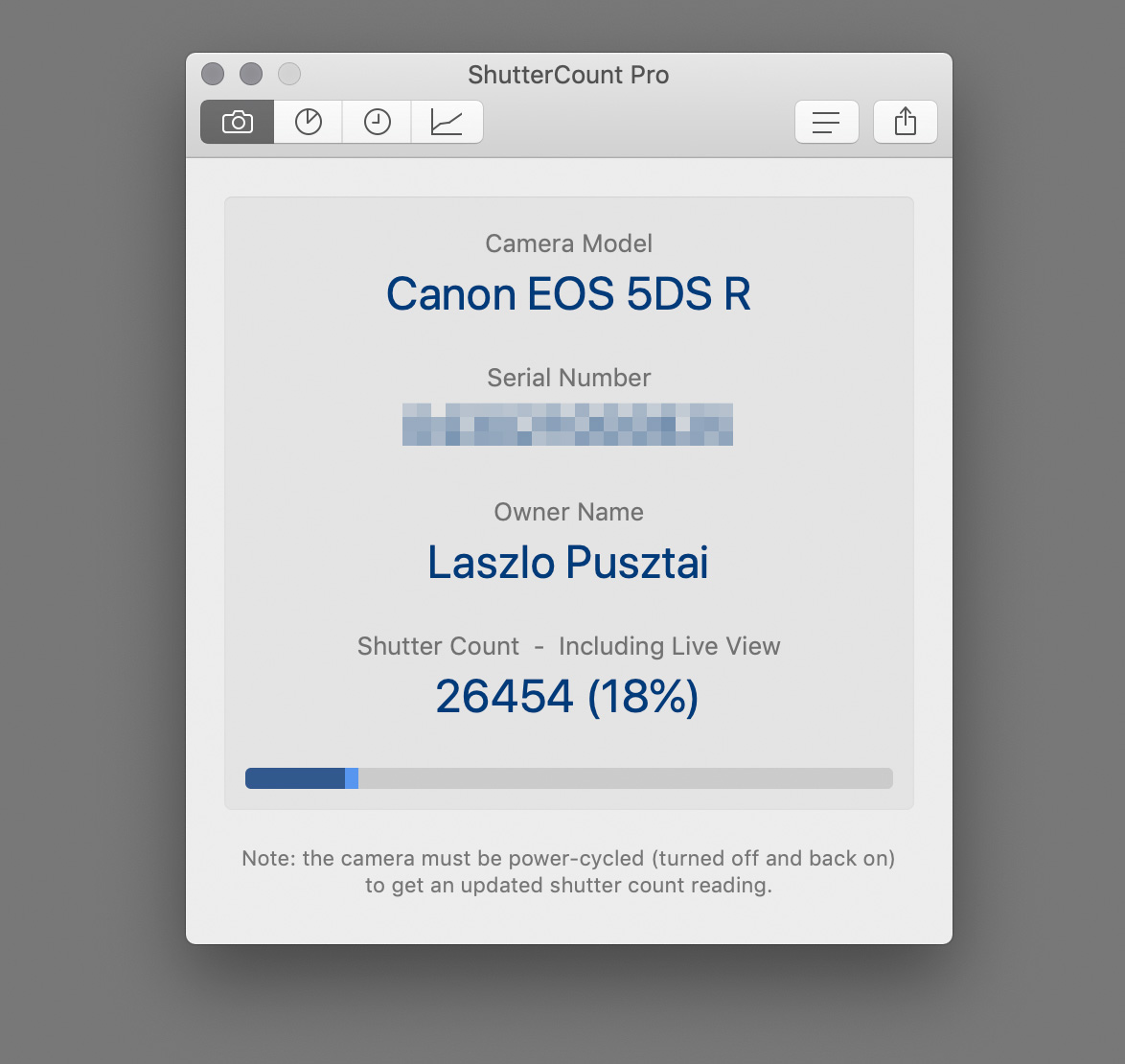
We did it again! Canon introduced a new shutter actuation counter method for its mirrorless cameras, starting with the M50. The just released version of ShutterCount supports this new method, as you can see on the following screen shot.

ShutterCount is the first and only app that can do it.

The new mirrorless counter for my EOS R.

Instead of giving a shot-by-shot counter, the M50 (Kiss M in some markets) and the EOS R will give a value measured in thousands. ShutterCount displays it similar to the 1-series cameras do it in their menu: <= 2000 means the counter is between 1000 and 2000, <= 15000 means the counter is between 14000 and 15000, etc.

The Distribution Chart and live view counters are not available for mirrorless cameras, since all photos are taken in live view mode.

Being Wi-Fi capable, both the EOR R and the M50 are also supported in the iOS version of the app.

Speaking of mirrorless, we also certified the app with the Nikon Z 7. Just like all other Nikons, the Mac version supports this camera via image files.

The Mac version adapts to Dark Mode in macOS 10.14, and the iOS version supports the large screen size of iPhone XS Max and XR.

Version 3.4 is a free update for existing users on both operating systems. New users can purchase the app in the respective App Store. Live View Pack and Plus Pack are available as in-app purchases.